
SocietyCloud
SocietyCloud is in the design phase: an interface prototype for running a community society in Botswana, with no working software behind it yet. The groups it is drawn for are burial societies, sports clubs, church groups, parent committees and alumni networks, and the screens cover tracking who has paid the monthly contribution, recording payments made by cash, bank transfer, Orange Money or MyZaka, keeping a society ledger, and chasing arrears. The position stated across the interface is that SocietyCloud records payments and does not hold the money, which stays in the society's own bank or mobile money account.
Being in the design phase means there is no backend, no accounts, no database and no network call anywhere in the source. Every figure on screen is read from a 114 line static JavaScript file, and the Save button on a form closes the modal without writing anything. What exists is the interface: two operating modes, three role views, English and Setswana switching at runtime, and an installable offline shell.
The link below opens the design itself, not a product. It is clickable across roughly 30 screens, the names and societies in it are invented, and nothing typed into it survives a page reload.
Technologies
- Next.js App Router, with every component a client component.
- React, JavaScript and JSX. No TypeScript.
- Three runtime dependencies: next, react and react-dom. No UI kit, no state library, no i18n library, no charting library.
- One hand written stylesheet, globals.css. No Tailwind and no CSS-in-JS. The bar charts are inline SVG.
- React Context for language, interface mode and active society, persisted to localStorage.
- A hand written translator, built on MutationObserver, TreeWalker and a 902 line Setswana dictionary.
- A hand written service worker and web app manifest, cache-first, with icons at 192 and 512 pixels.
- A 114 line static data file in place of an API. There is no fetch call in the source tree.
The Design
Screens
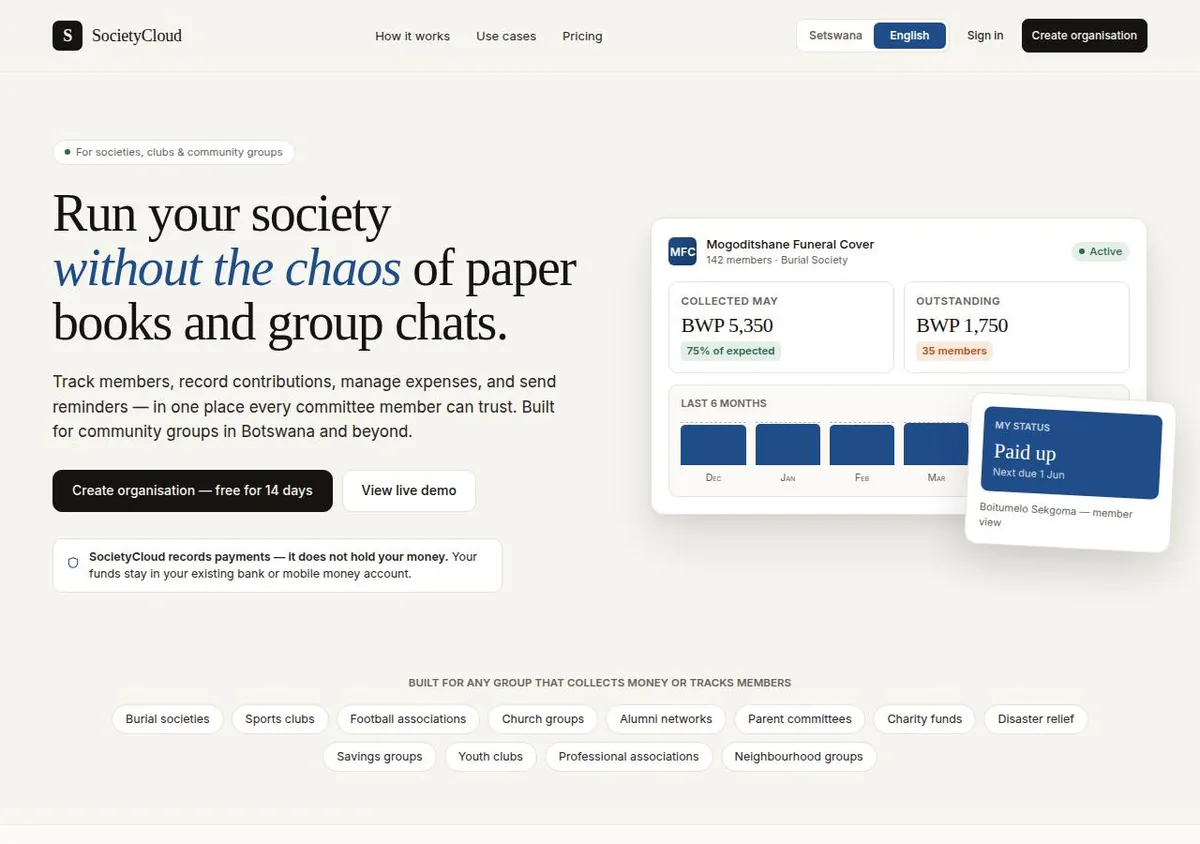
The landing page states the position the rest of the prototype is built around: payments are recorded, the money stays in the society's own account. Demo data.
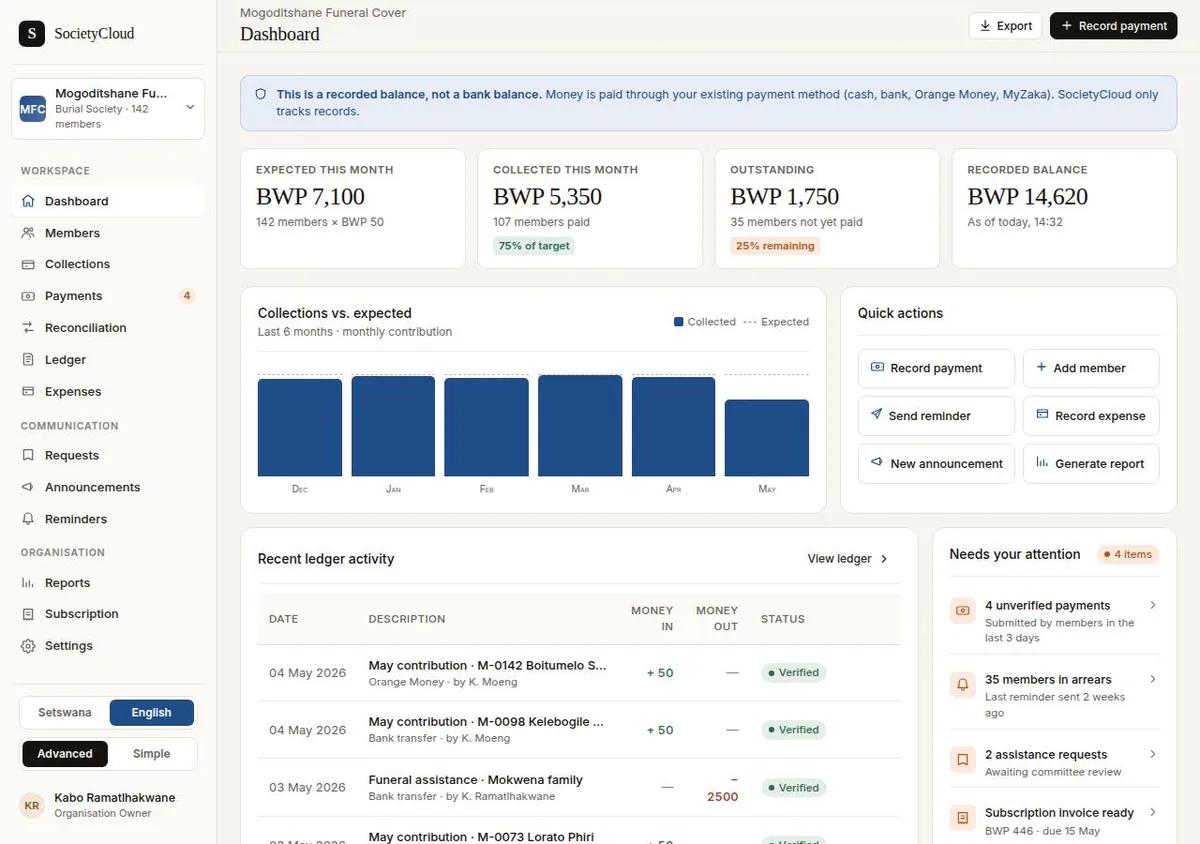
Advanced mode: a figure row, a six month collections chart and recent ledger activity. Every number is demo data from a static file.
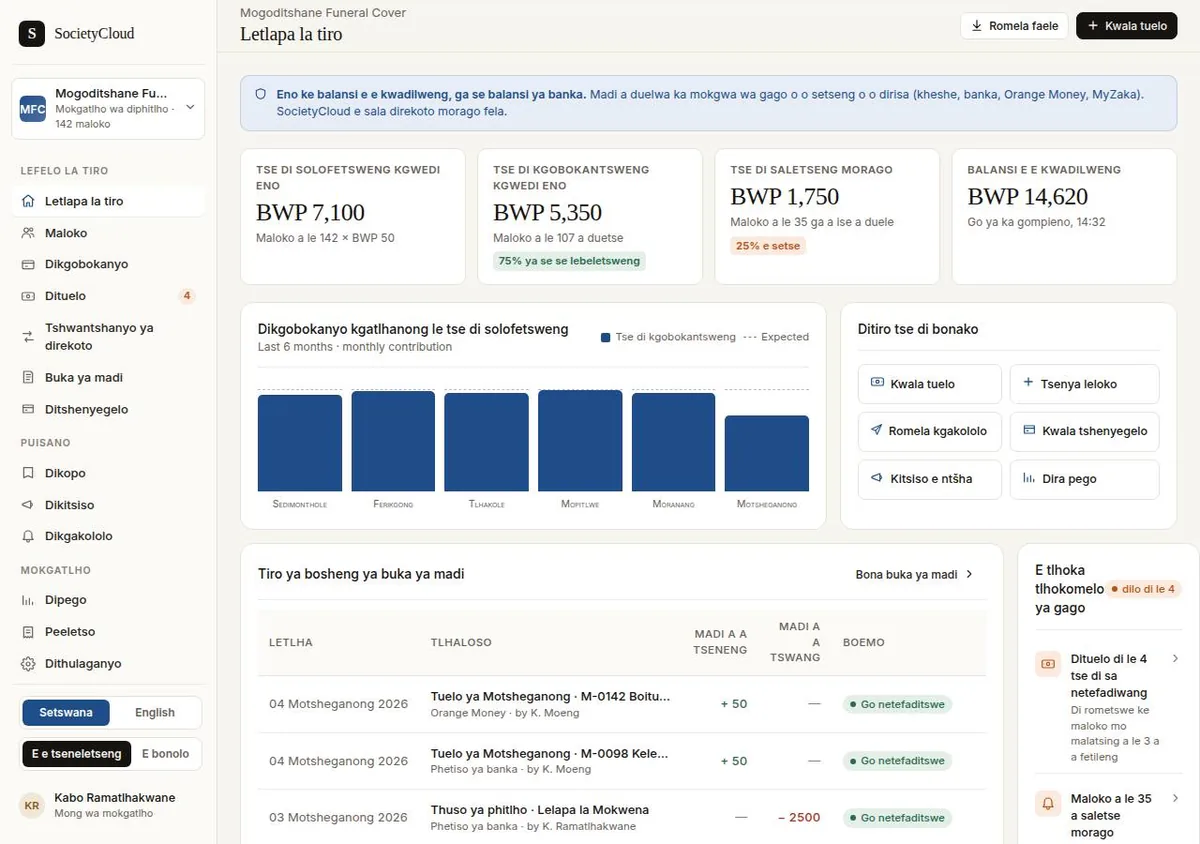
The same screen in Setswana. Text is translated in place at runtime, including table headers and status pills. Demo data.
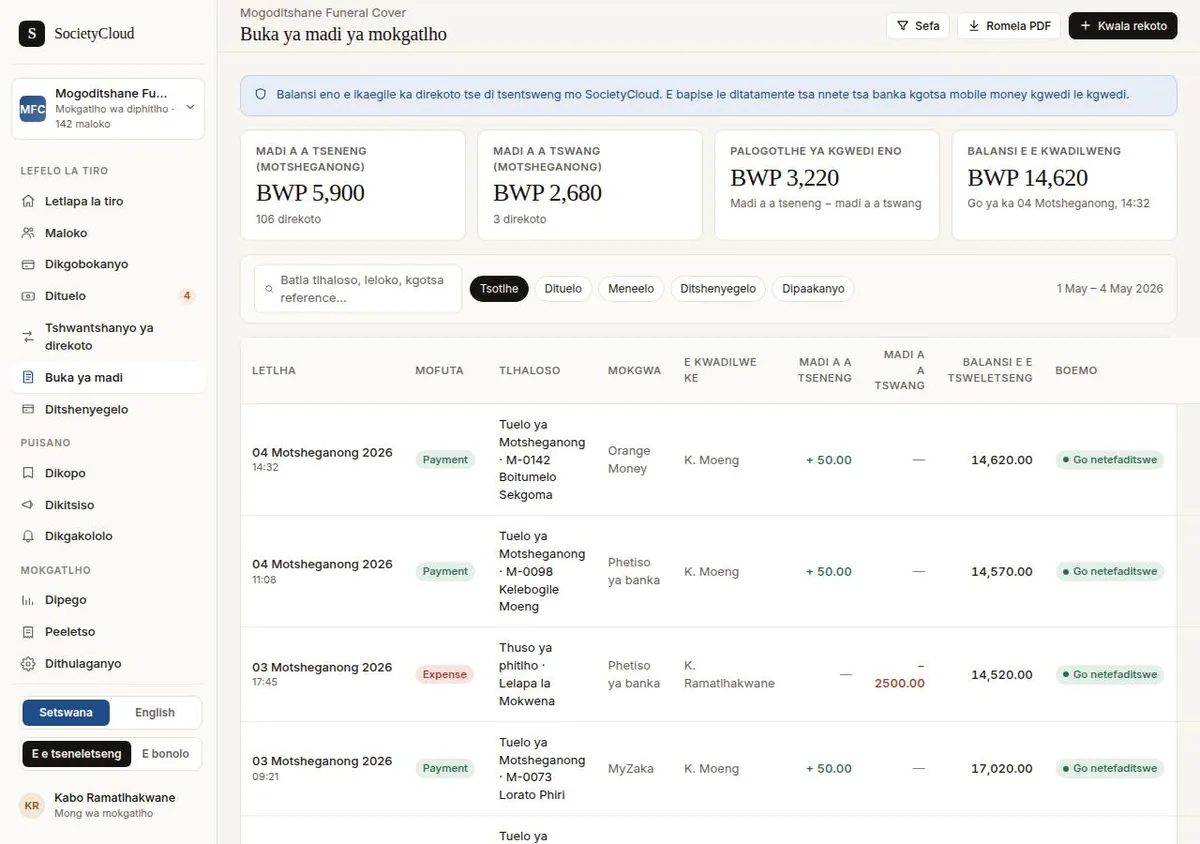
The society ledger, with a running balance and a payment method against each row. The names, societies and amounts are invented demo data.
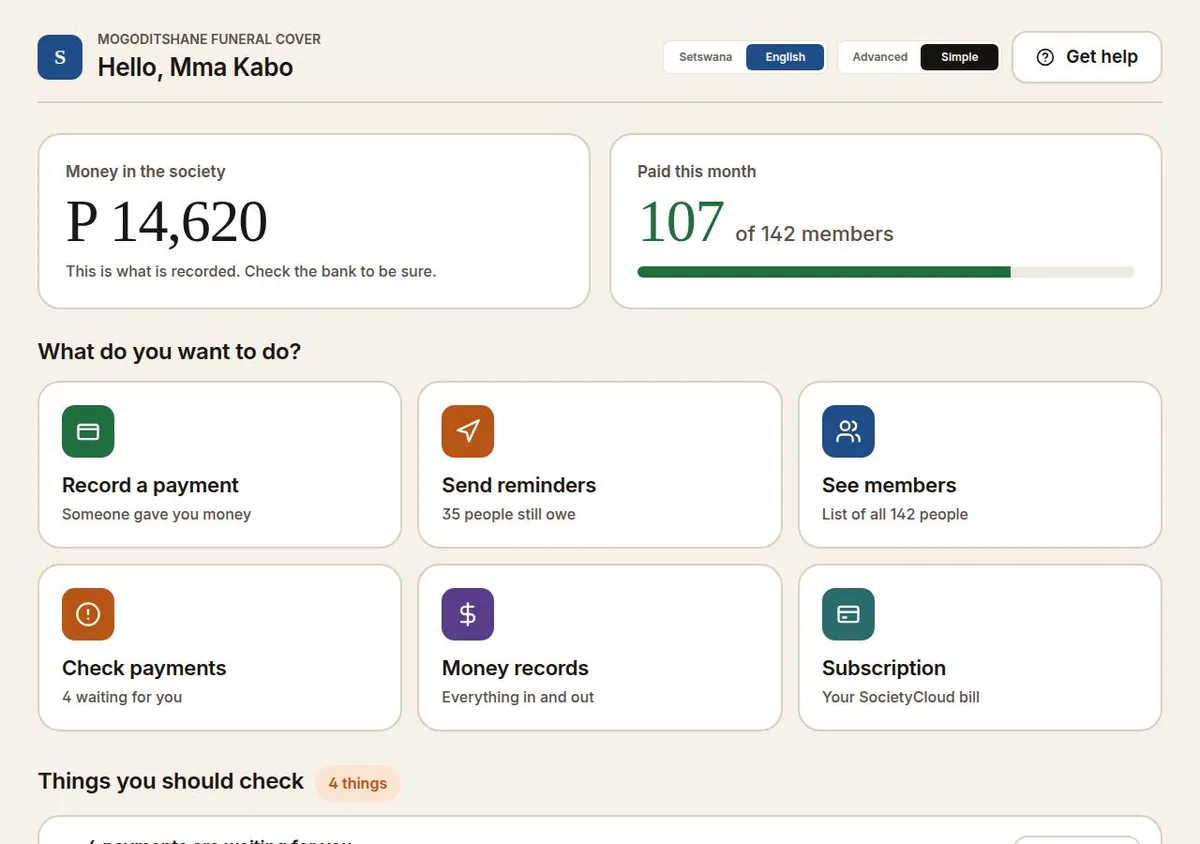
Simple mode drops the tables for large type and one task per tile. Same data, different interface. Demo data.
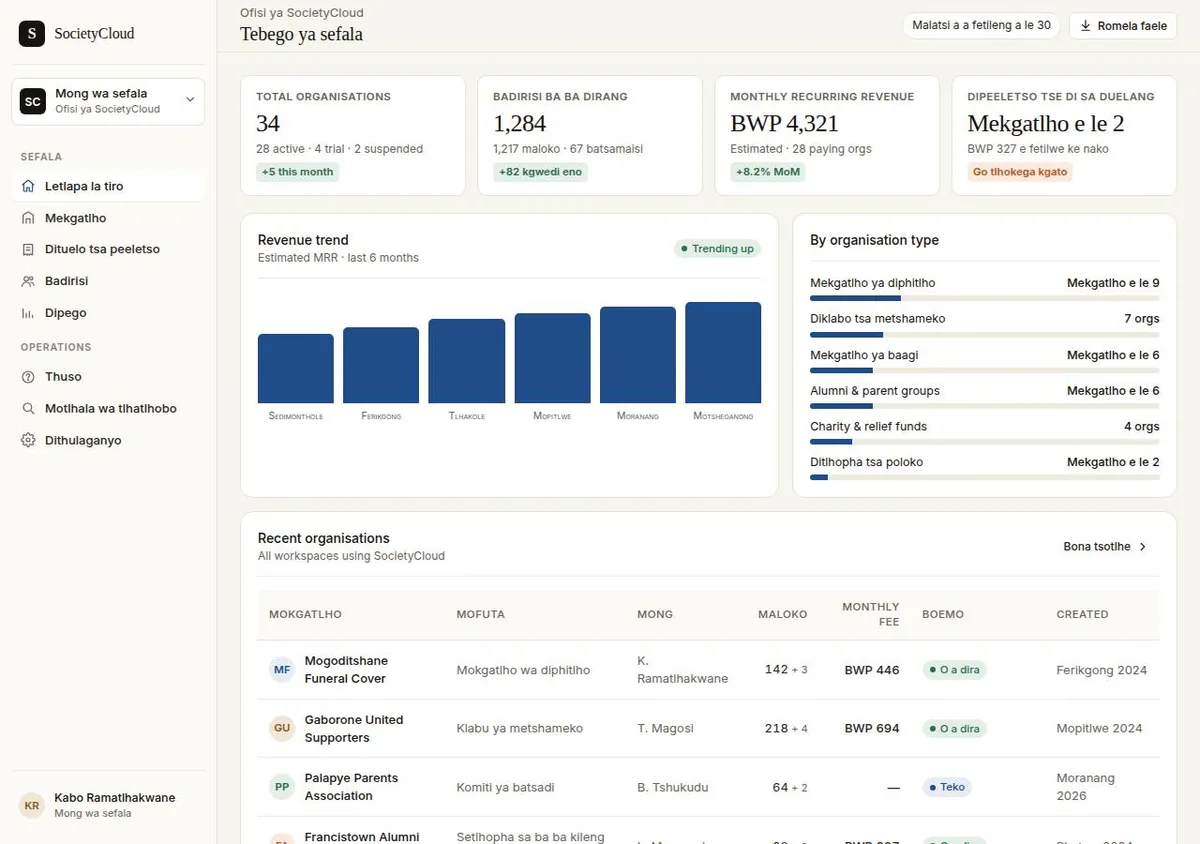
The platform operator view, a third perspective with figures of its own. Demo data.
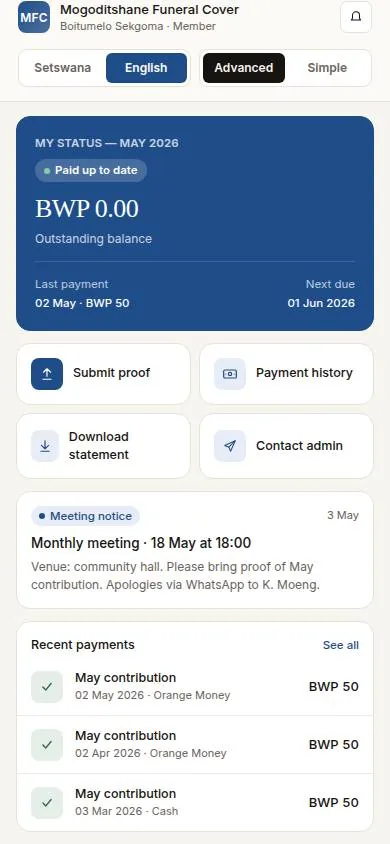
The member view at phone width: payment status first, then proof of payment, history and the committee contact. Demo data.
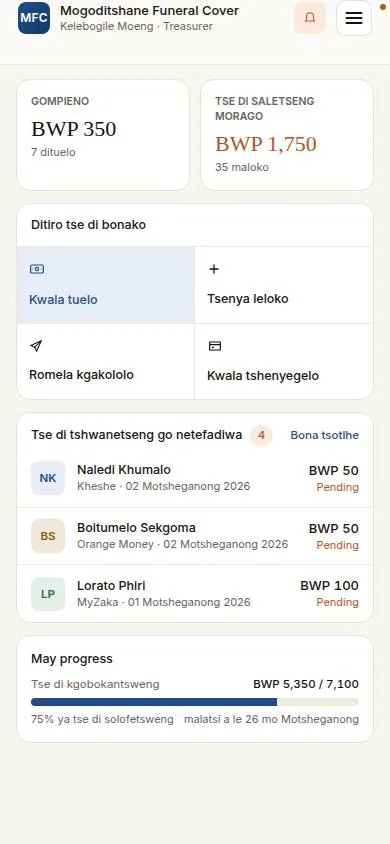
The committee dashboard at phone width in Setswana, with a burger menu in place of the sidebar. Demo data.
1. Two interface modes
Advanced mode gives data tables, figure rows, SVG bar charts and a sidebar. Simple mode gives large type, plain language and one task per screen, for a treasurer who does not want a dashboard. Both are fully drawn. The choice is held in localStorage and applied as a data attribute on the document root, so a screen can render a different component per mode without a second URL.
2. Three role views
A committee view, a member view and a platform operator view, each with its own screens and its own figures. The operator view carries 34 societies, 1,284 users and an estimated monthly recurring revenue of BWP 4,321. A society switcher swaps the active society across the committee screens.
3. English and Setswana, switched live
There is no i18n library and no translated string keys. A MutationObserver and a TreeWalker walk every text node in the document on each mutation and route change, look each one up in a 902 line dictionary, and fall back to regex patterns where there is no exact entry. Originals are held in WeakMaps, so switching back to English restores the exact source strings. Placeholder, aria-label and title attributes are translated as well. Setswana is the default.
4. One URL, three renderings
Wrapper components choose a component per interface mode, and CSS classes choose per viewport. The same address renders a desktop advanced screen, a desktop simple screen and a phone screen, checked at 1280 by 900 and 390 by 844. On a phone, both modes navigate through a burger menu, which replaced an earlier bottom tab bar.
5. Installable and offline
A hand written web app manifest and a cache-first service worker, with a version constant and a precache list, registered on mount. No PWA plugin. The prototype installs to a phone home screen and opens without a connection.
6. What it does not do
Forms accept typing and discard it. Every modal's Save button only closes the modal, and every confirmation dialog is handed an empty confirm handler. Import CSV, Export, PDF and the proof of payment upload zones are labels with nothing behind them. Seven of the committee screens render one configuration driven component over the same shared arrays. Nothing on the site makes a network call, and nothing a visitor does is stored.
7. Status
In the design phase, and dormant. 64 commits, all of them inside two days, 9 and 10 May 2026, with further uncommitted work to 15 May. The design is drawn and clickable across the screens above. No backend work has started.