
eKYC Deployer
This is work software, built for the internal team that deploys and supports a Botswana-based company's eKYC platform on customer infrastructure. It is an operations console for a fleet of customer deployments, where each deployment is a site with its own production, staging and test environments on separate virtual machines.
It runs scheduled checks against every environment over HTTP and SSH, and carries the deployment work itself: licence generation, database cloning, host migration and patch builds.
Before this tool, checking the health, version, disk state and licence status of each deployment meant connecting to each host by hand. This centralises that work, keeps a record of every check run, and turns applying a patch into a repeatable procedure gated on a digest match rather than a manual file copy.
Technologies
- Server
- Go
- Gin
- GORM
- MySQL
- Goose migrations
- Zap logging
- JWT authentication
- WebSocket hub for live check events
- SSH for remote probes
- Web
- Next.js 15 (App Router)
- React 19
- TypeScript
- Tailwind 4
- shadcn/ui
- Recharts
- Infrastructure
- Apache as a reverse proxy
- systemd
- Grafana
- Loki
- VictoriaMetrics
The App
Screens
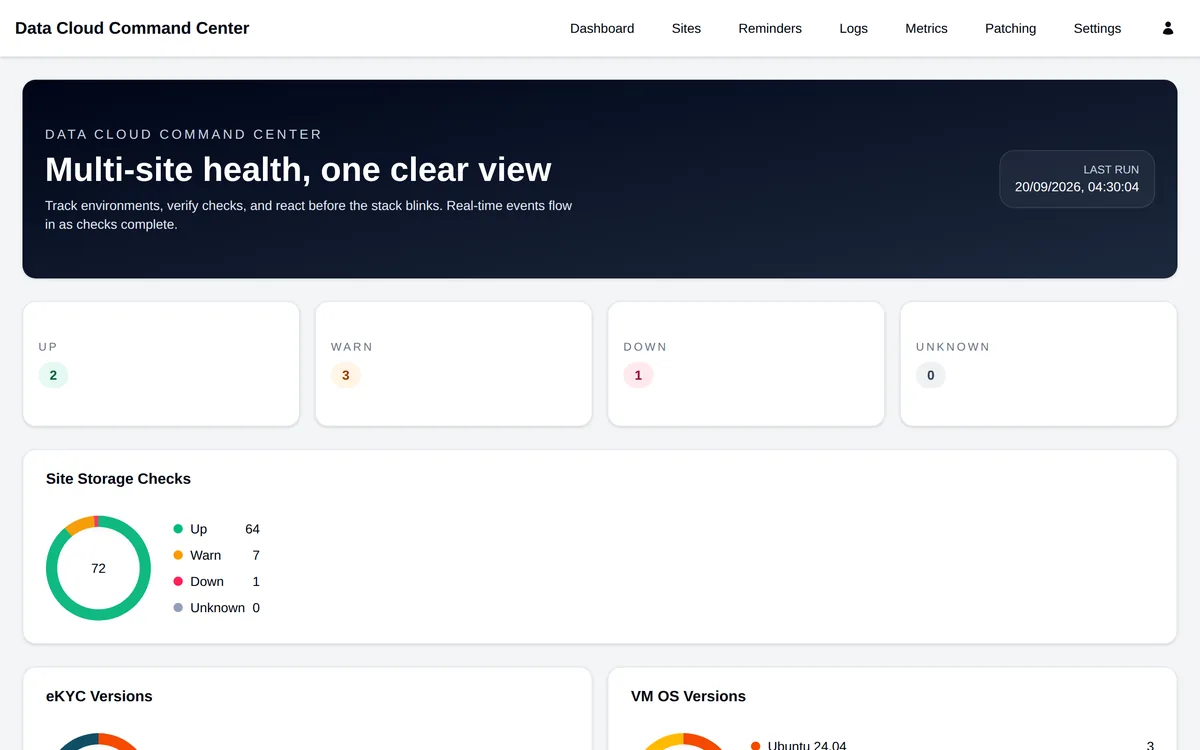
The landing screen counts every managed site and check by current status.
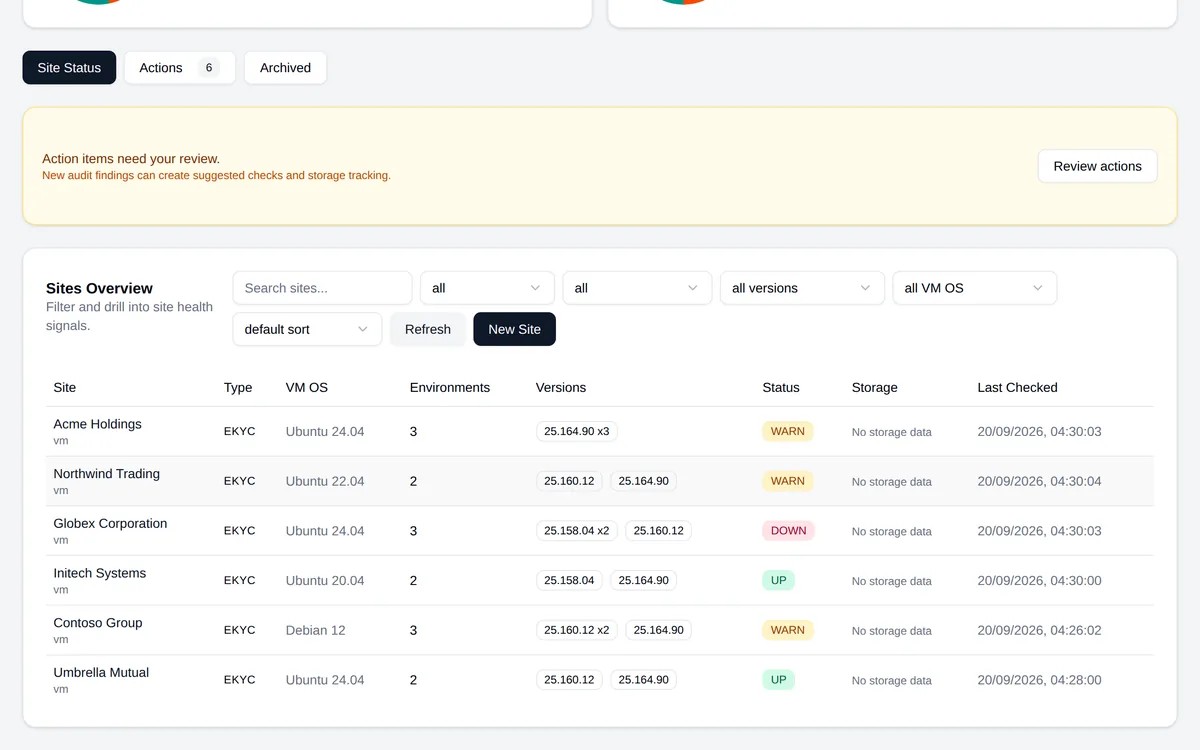
The site list filters the estate by version, operating system and health status.
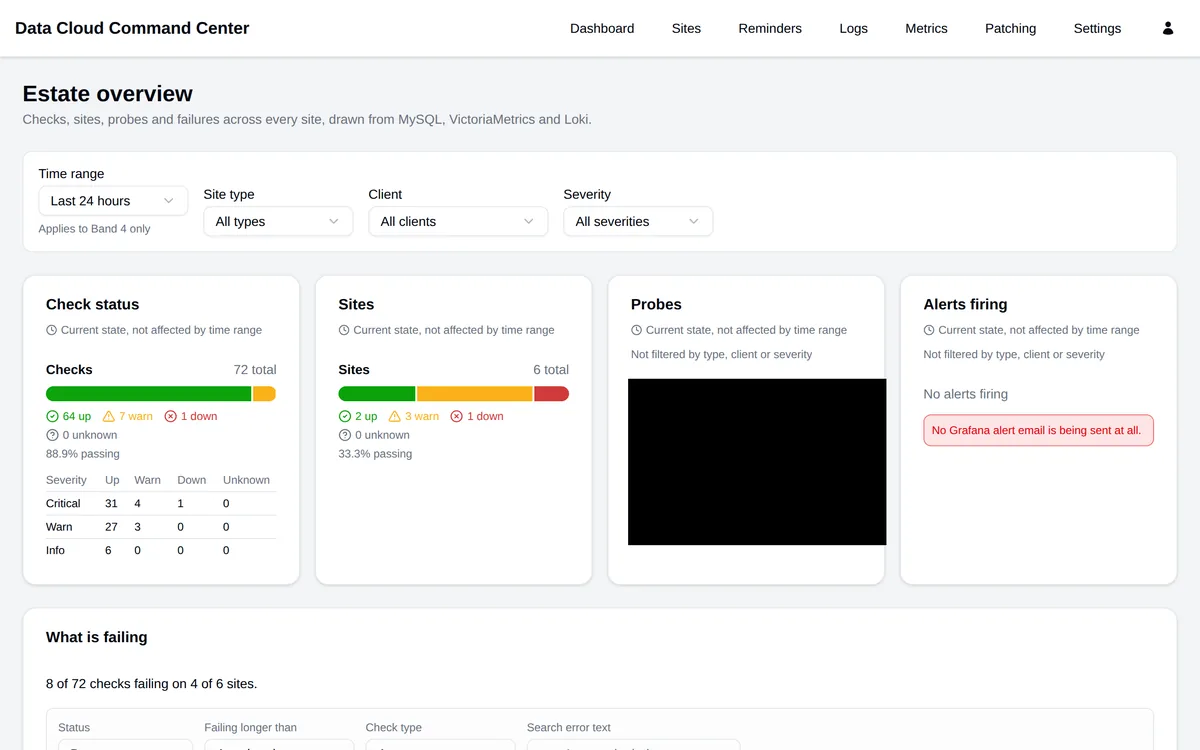
The estate overview aggregates check and site status across every deployment, with a severity breakdown.
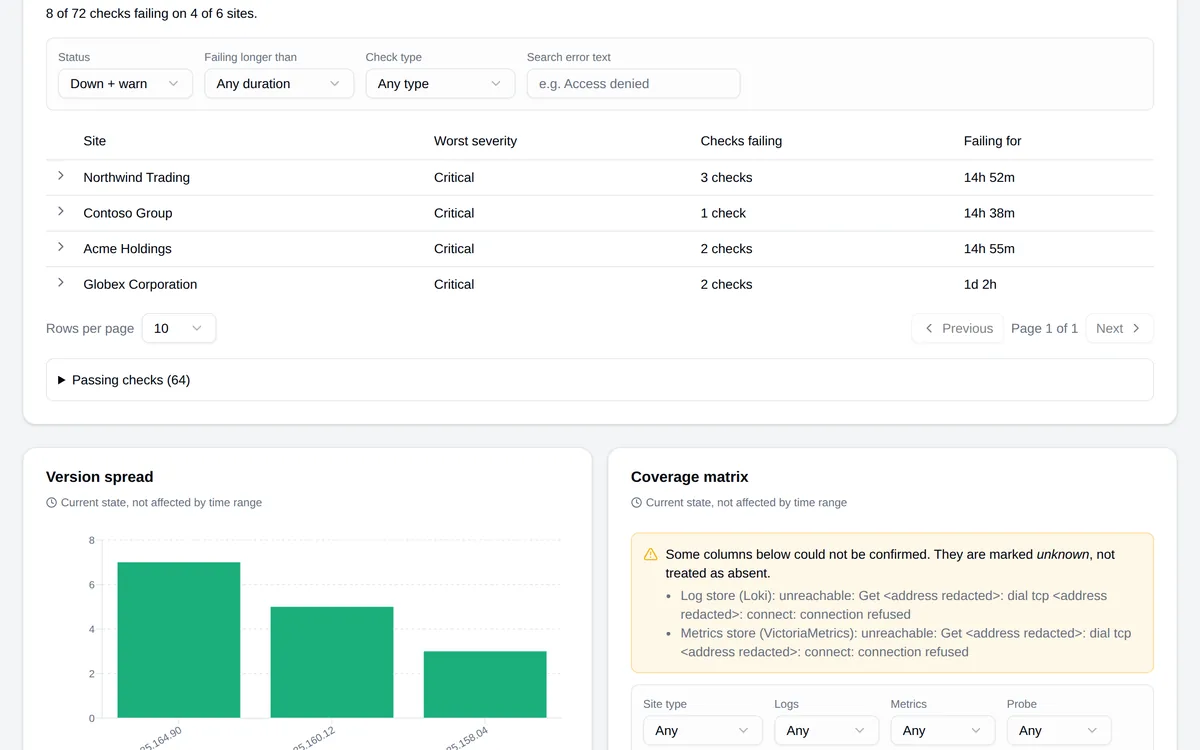
The failing view groups current failures by site and ranks them by severity and how long they have been failing.
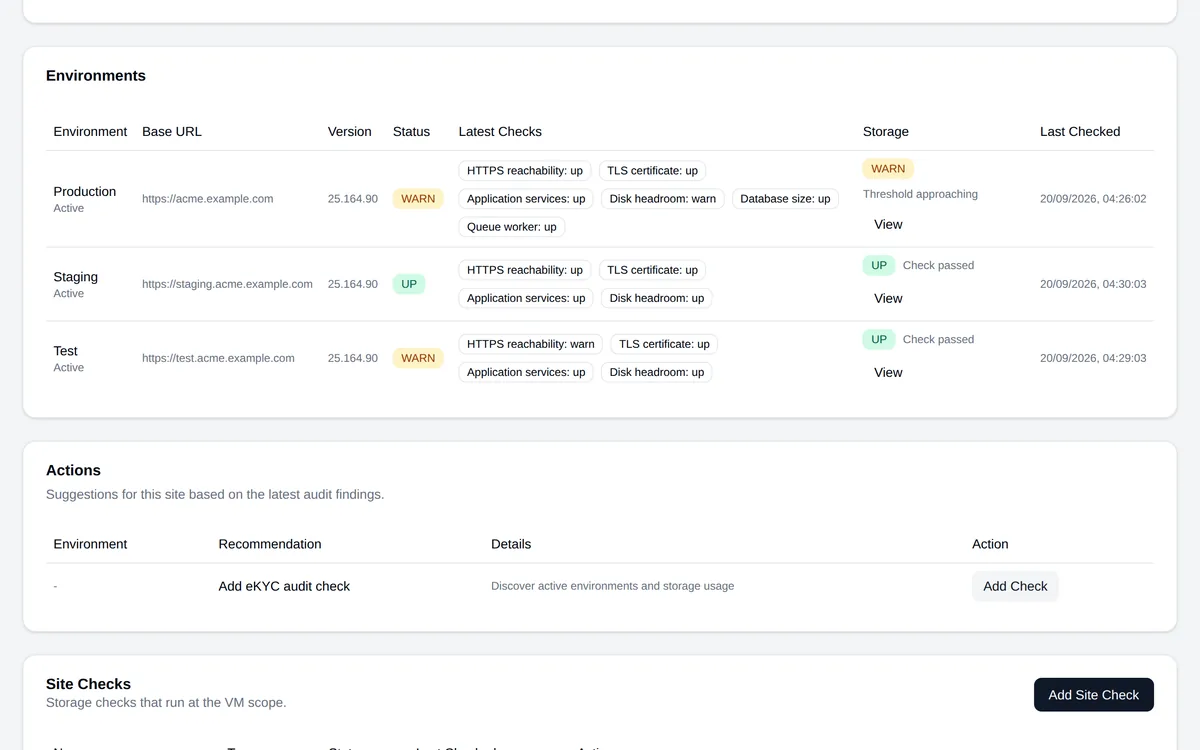
A site page lists its environments with the result of every check on each.
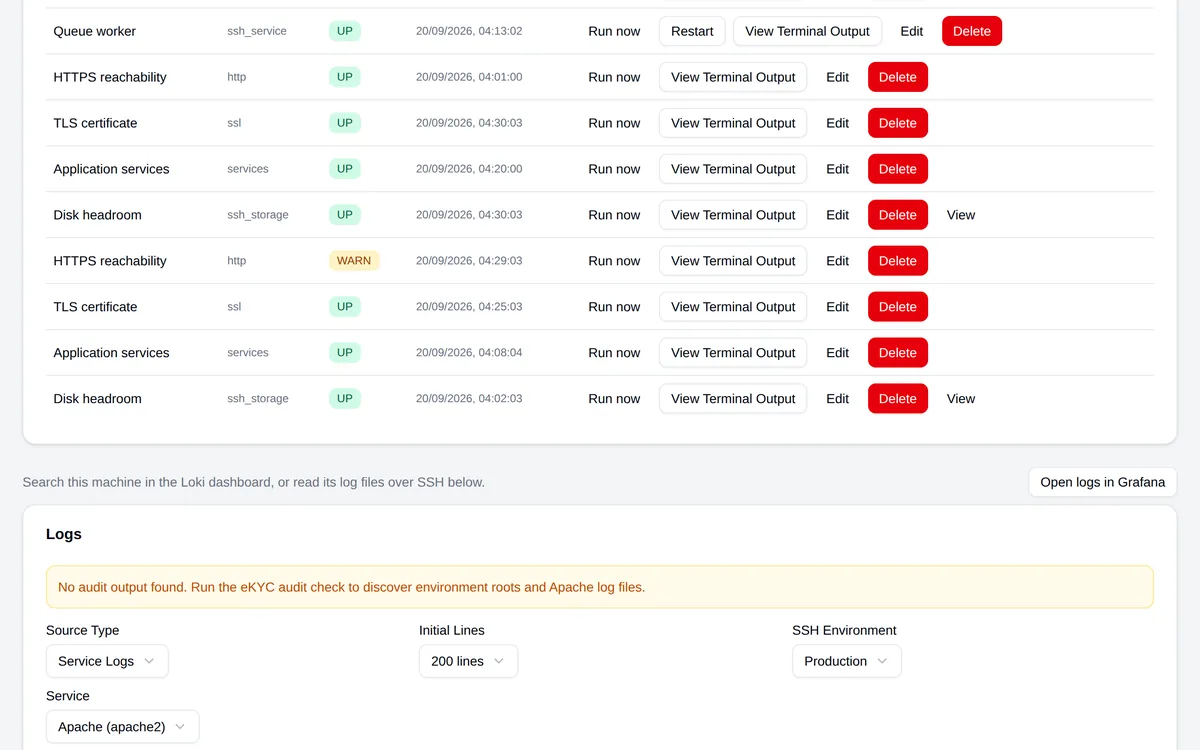
Checks can be run on demand from the site page, with the command output and service logs read back over SSH.
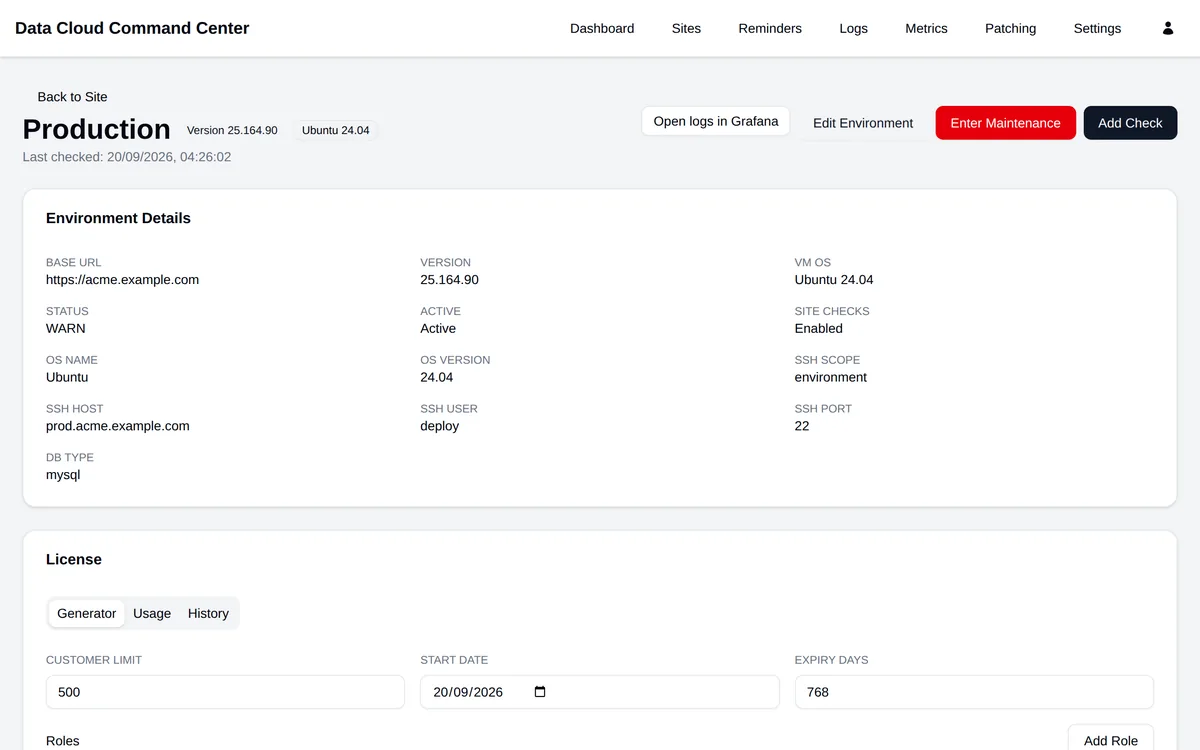
An environment page holds its connection details and the licence generator for that deployment.
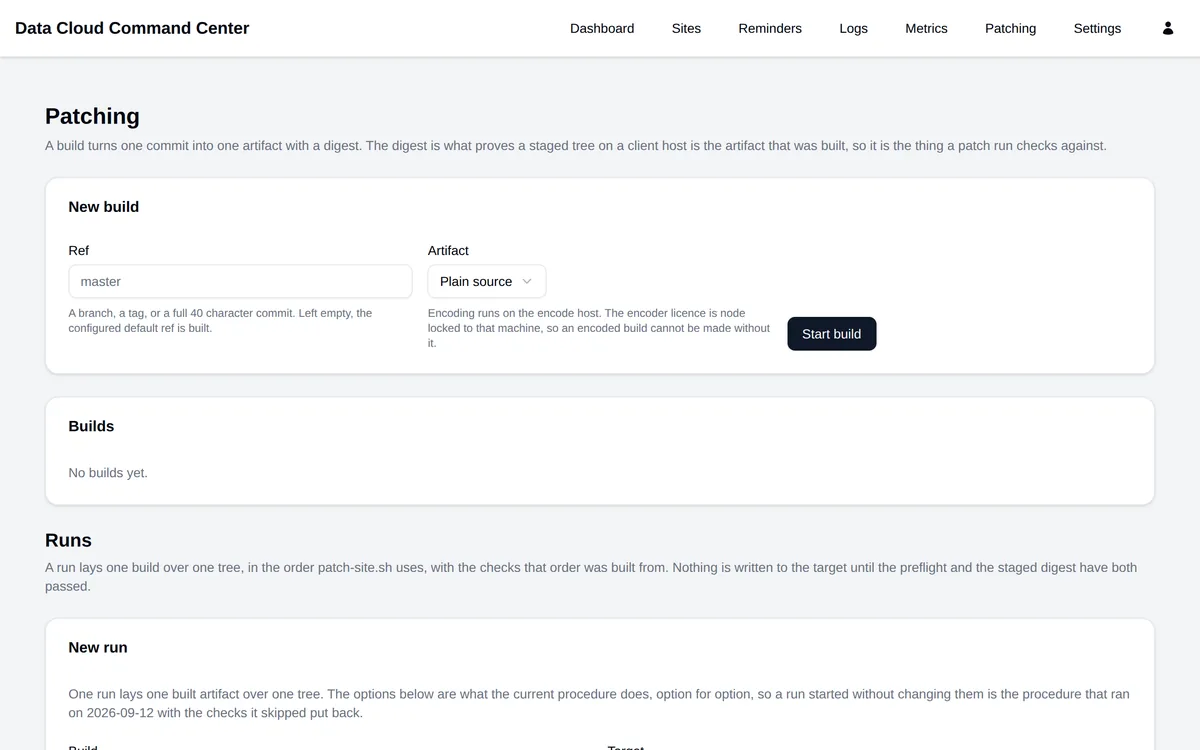
The patching page builds one commit into one artifact and lays it over a target only after the preflight and staged digest both pass.
1. Scheduled checks
Every environment is checked on a schedule over HTTP and SSH: reachability, TLS certificate expiry, systemd service state, disk headroom, database size, queue workers, log queries and audit scans. Each run is stored with its terminal output.
2. Estate dashboard
Check results aggregate into a dashboard covering pass rate by severity, which checks are failing and for how long, the spread of application versions across deployments, VM operating system inventory, and a coverage matrix of which sites have logs, metrics and probes confirmed.
3. Deployment operations
Per-environment licence generation, database clone runs and host migration are handled from the same console as monitoring, rather than as separate manual procedures.
4. Patch builds
A patch build turns one commit into one artifact with a digest, then verifies that digest on the target before anything is written.
5. Reminders and notifications
Reminders support multi-step assignment, with email notification templates for the people they are assigned to.
6. Access control
Access is role-based, with per-user permission overrides where a role's default access needs an exception.