
Pocket Recall
Pocket Recall (brand name Recall) is an offline-first Android app for the numbers, codes and references people need to find and copy in a hurry: account numbers, plates, meter readings, policy numbers, Wi-Fi passwords. It is built around one motion: search, reveal, copy.
It is not a password manager and not a notes app. Entries are structured records with named, typed fields rather than free text, and each field's type controls how it is formatted and whether it is masked by default. Everything is stored locally in SQLite; there is no account and no server.
The README documents the app's version 0.2 feature set. The source has since added tally counters, a tag index, a ledger for tracking money lent and borrowed, and single-entry sharing through the OS share sheet. A shared, multi-entry spaces screen exists as a preview and is flagged in the app itself as coming later, with no server built for it yet.
Technologies
- React Native 0.85.2, bare CLI workflow for Android (no Expo), with the New Architecture and Hermes.
- TypeScript
- SQLite, via react-native-sqlite-storage, offline first and local only.
- Zustand for global state.
- React Navigation, native stack plus bottom tabs.
- react-native-svg for the icon set and logo.
- @react-native-clipboard/clipboard for the copy action.
- @react-native-async-storage/async-storage for preferences.
- react-native-image-picker and react-native-fs for image capture and on disk storage.
- @react-native-google-signin/google-signin for Google Drive backup.
- patch-package, patching react-native-sqlite-storage's legacy build configuration.
The App
Screens
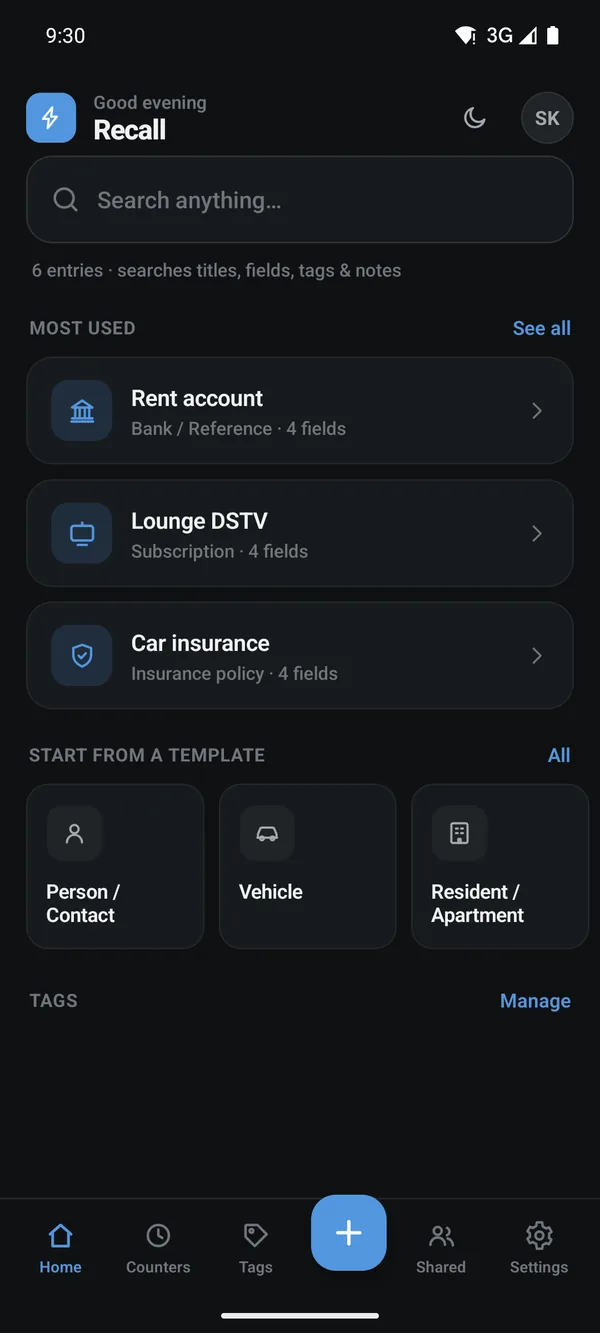
Home puts the search box first and lists the entries copied most often underneath.
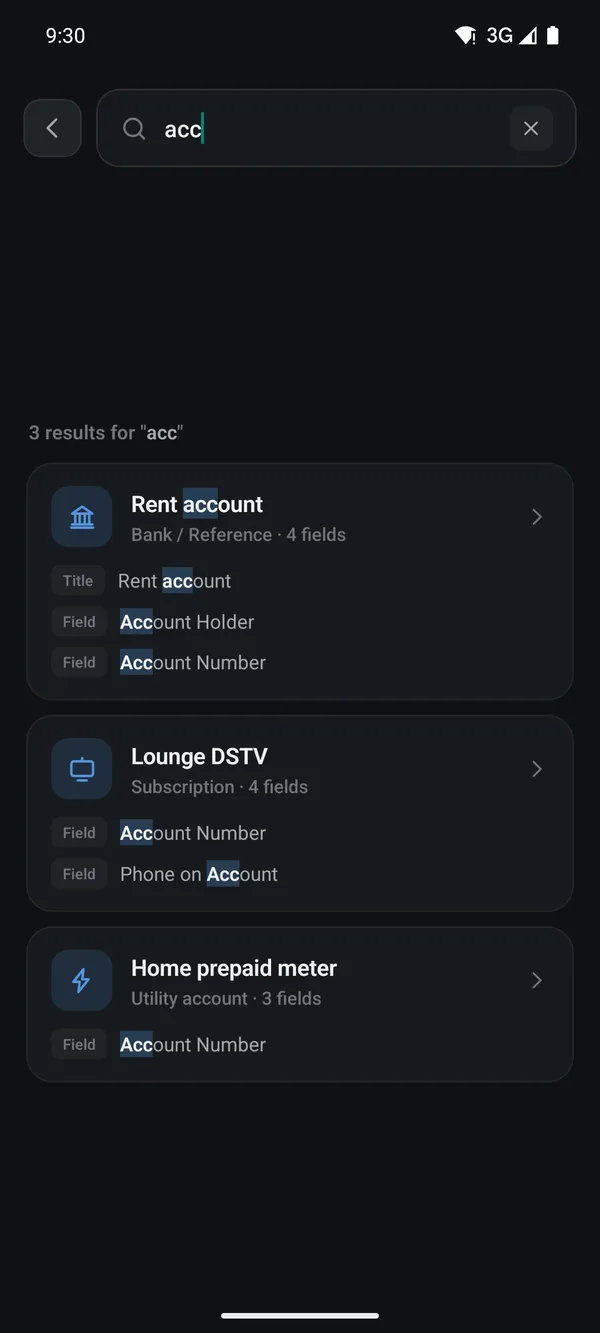
One query scores titles, field names, tags and notes, and shows which part of each entry matched.
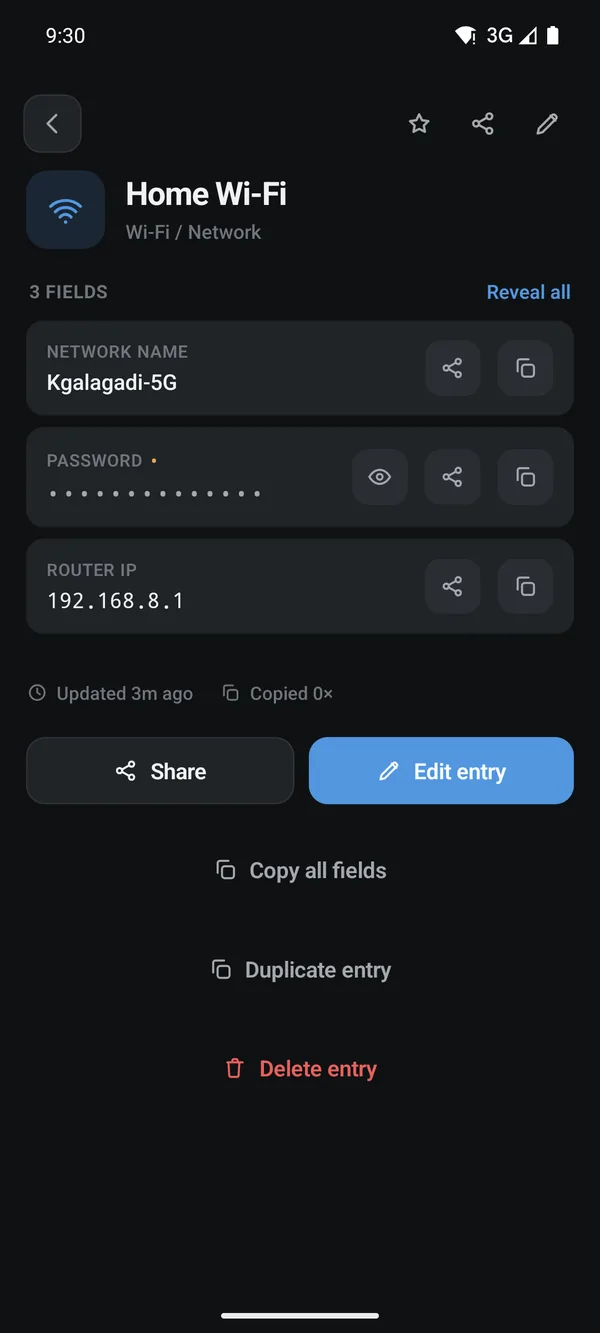
An entry shows every field with its own copy button, and keeps fields marked sensitive masked until revealed.
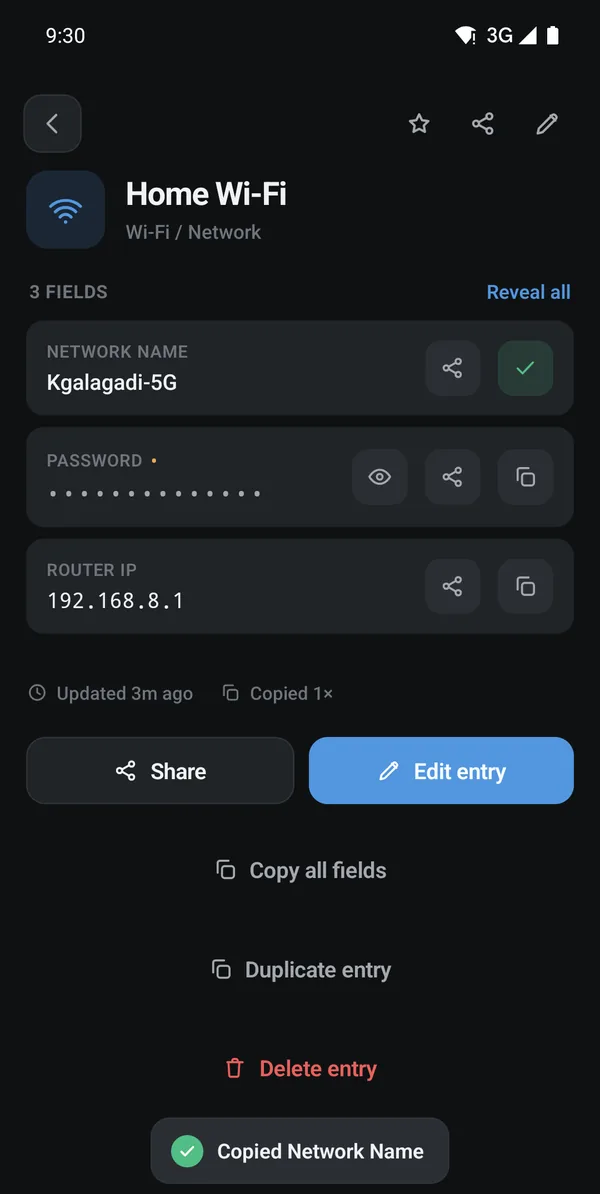
Copying a field confirms with a tick and a toast, and increments the entry's copy count.
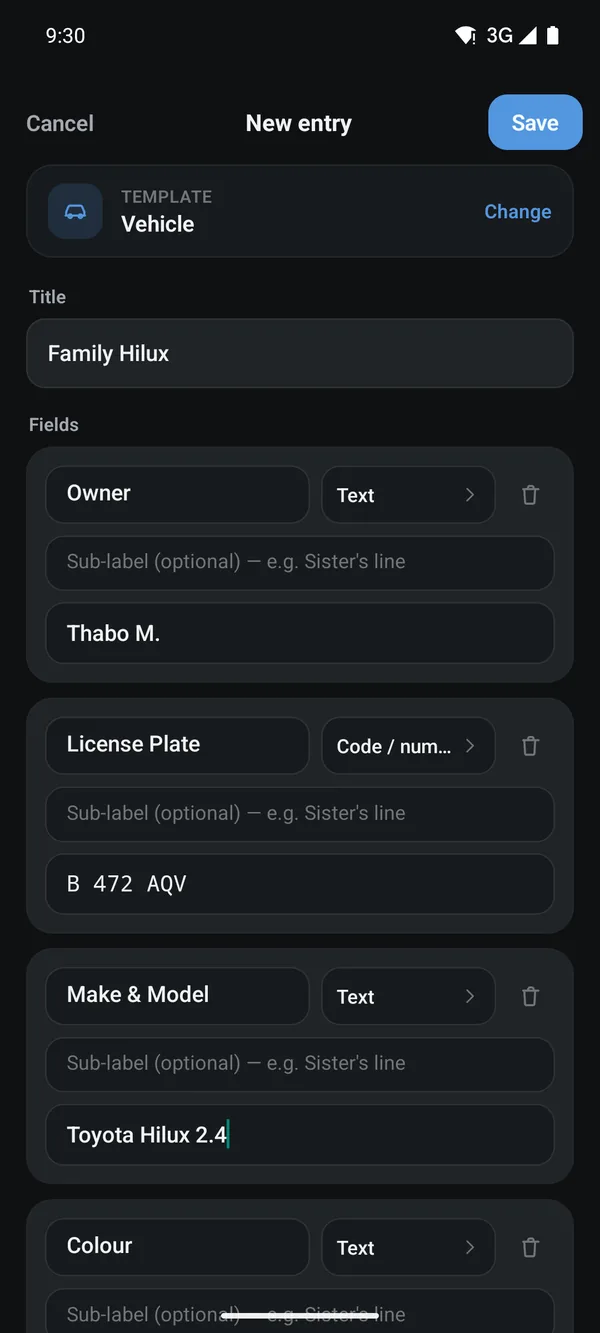
A new entry starts from a template with its fields pre-named, and each field carries a type that controls formatting and masking.
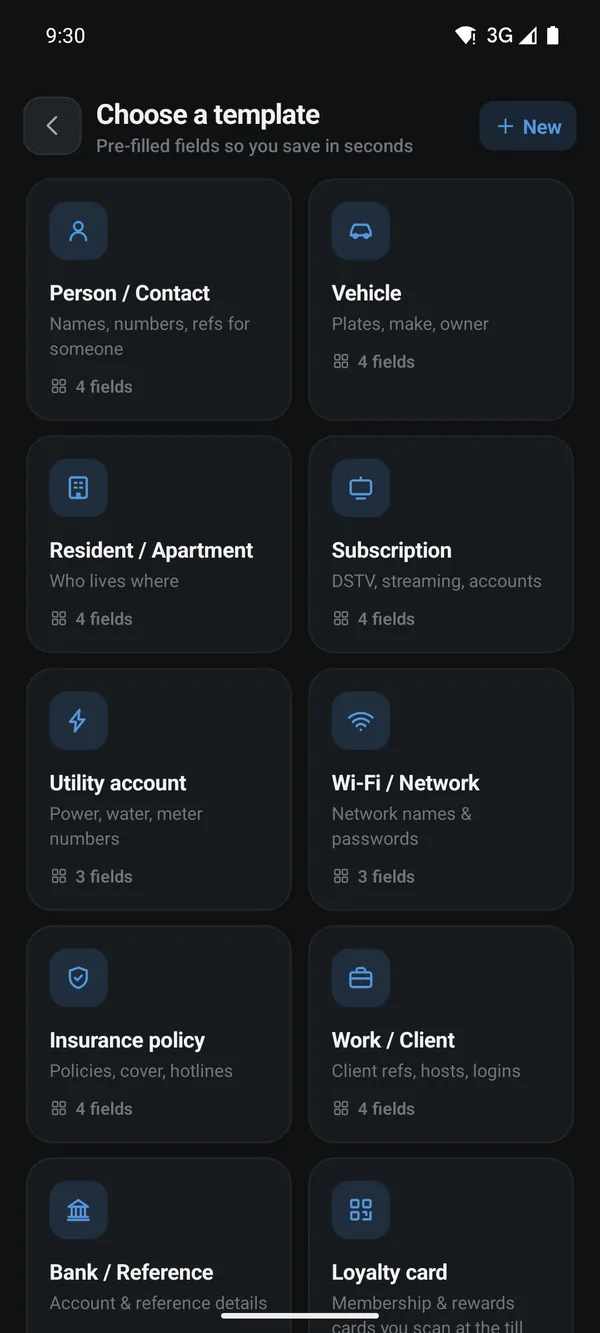
Ten built-in templates cover the common cases, and users can define their own.
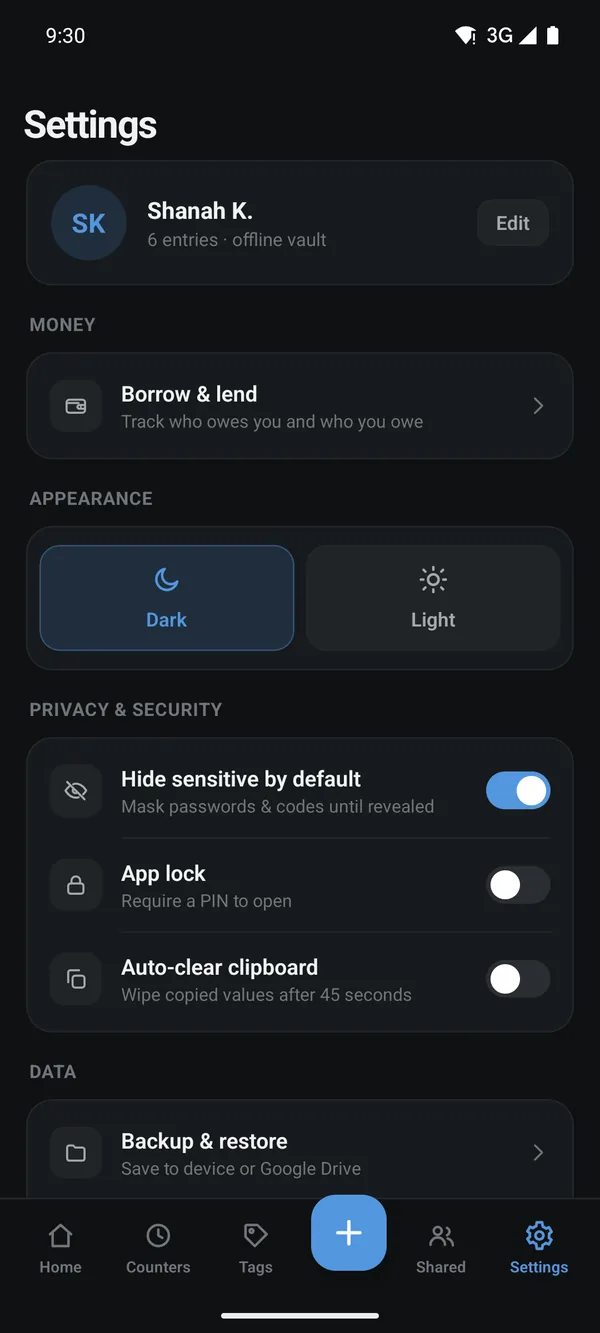
Settings carry the privacy controls: masking by default, a PIN lock and a clipboard that wipes itself after 45 seconds.
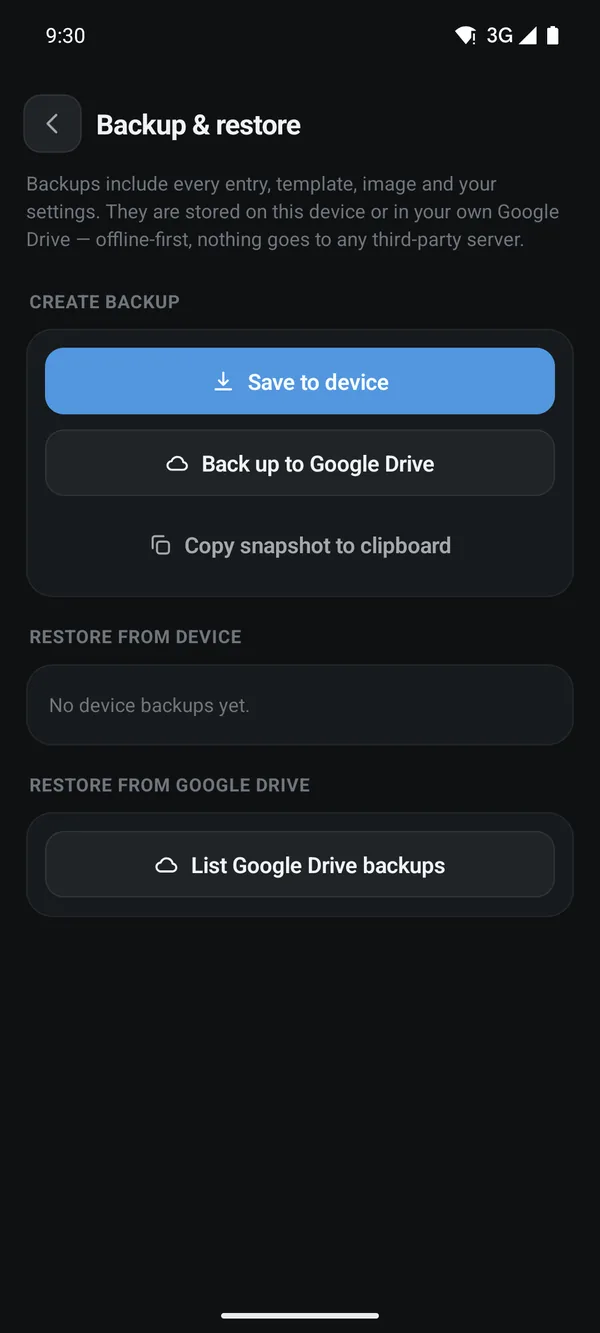
Backups go to the device or the user's own Google Drive, with no third-party server in the path.
1. Search
One query is scored against titles, field names, tags and notes together, and the result shows which part of an entry matched.
2. Masked fields
A field can be marked sensitive at the template or entry level. A masked field stays hidden behind dots until it is explicitly revealed; an unmasked field, such as a network name or an IP address, shows in plain text.
3. Copy with confirmation
Copying a field confirms with a tick and a toast, and adds to that entry's copy count, which is what drives the Most Used list on the home screen.
4. Templates
Ten built-in templates pre-name an entry's fields and assign each a type, which controls its formatting and whether it is masked. Users can define their own templates in addition to the built-in ones.
5. Privacy controls
Settings hold the app's privacy controls: masking sensitive fields by default, an app-lock PIN, and a clipboard that clears itself automatically after a configurable delay.
6. Backup
Backups are written to the device or to the user's own Google Drive. There is no third-party server in the path.
7. Counters
Separate from entries, a counter is logged with a tap. Each counter keeps a dated history, a per-day chart, and an undo for the last tap.
8. Tags
A tag index is derived automatically from the tags already set on existing entries; there is no separate tag list to maintain.
9. Money lent and borrowed
A ledger screen tracks amounts owed to the user and amounts the user owes, grouped by currency, with a transaction history against each debt.
10. Sharing
Sharing a single entry works today: it sends the entry as label and value text through the Android share sheet, or copies the same text to the clipboard. Shared, multi-entry spaces and QR sharing appear in the app as a preview marked "coming later"; no server exists for them yet.