
Golden Route Shipping
Golden Route Shipping is a group buying and container import app built for a Botswana business that imports goods from an overseas factory. Members pool orders into a shared shipping container; once enough units are committed to fill it, the organiser closes the group and places the order. The app replaces paper cost sheets and manual per member tracking with a shared, priced view of how close each group is to shipping.
The web client is server-authoritative: state persists in Postgres through a Go backend, with real-time group and support chat over a Redis-backed websocket. The work is still in progress. The app reads and writes one shared state document rather than per-resource endpoints, and the React Native mobile app is planned but not started.
Technologies
- Next.js web client
- shadcn/ui, built on Radix and CVA
- Go API server
- PostgreSQL for persistence
- Redis, for chat pub/sub and presence
- MinIO, for product and chat media
- Cloudflare Tunnel, for the deployed environment
- Playwright, for the end to end test suite
The App
Screens
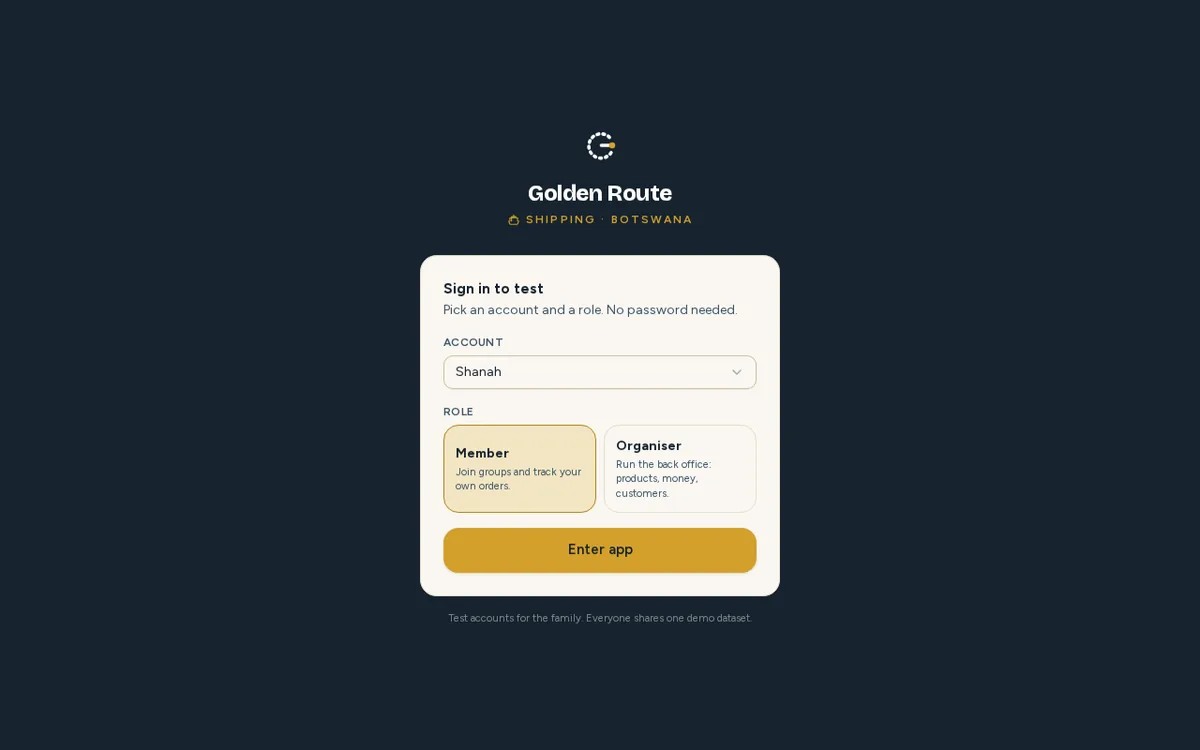
The entry point: pick a role, member or organiser, before landing in the app.
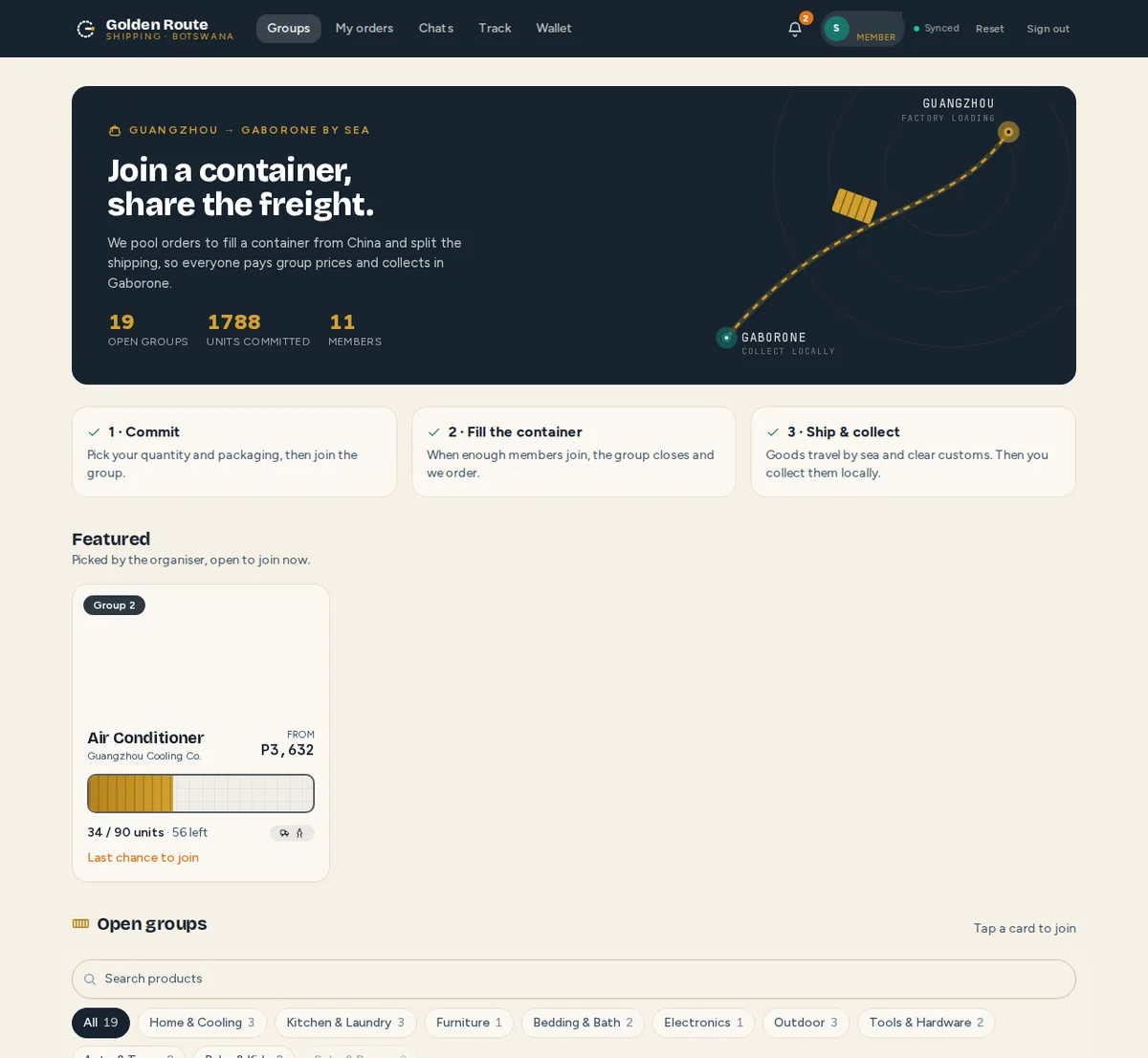
The member home page: open groups to join, each showing how close it is to the minimum order.
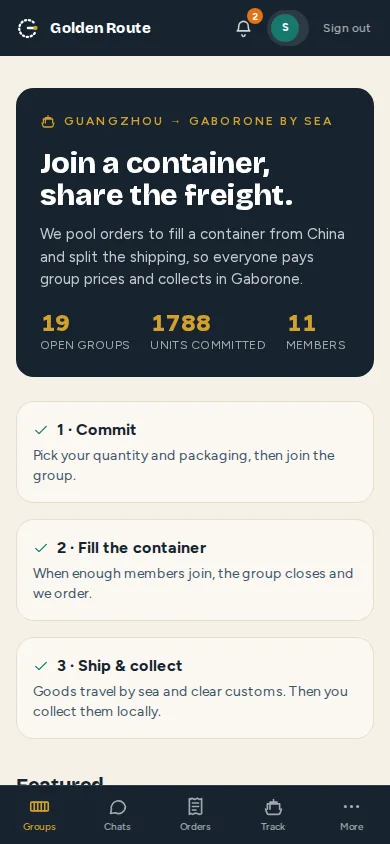
The member view on a phone, with bottom-tab navigation.

A product page a member can share: photos, description and how close the group is to ordering.
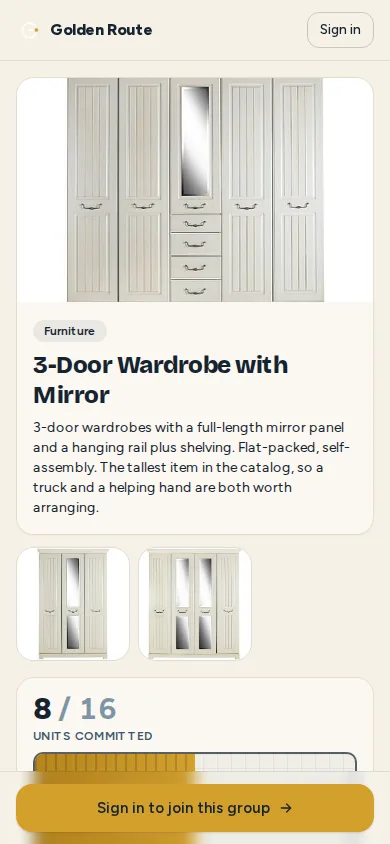
The product page on a phone, with the join action pinned to the bottom.
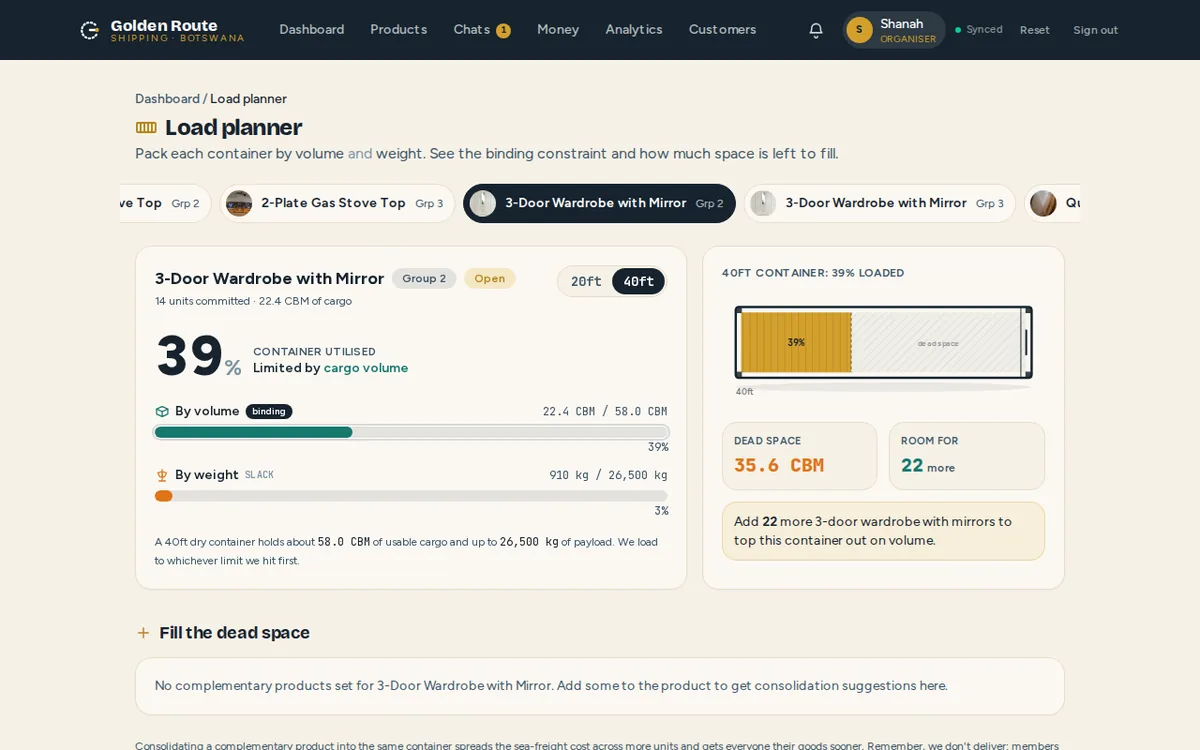
The organiser's load planner: how full a container is by volume and by weight, and which one is the binding limit.
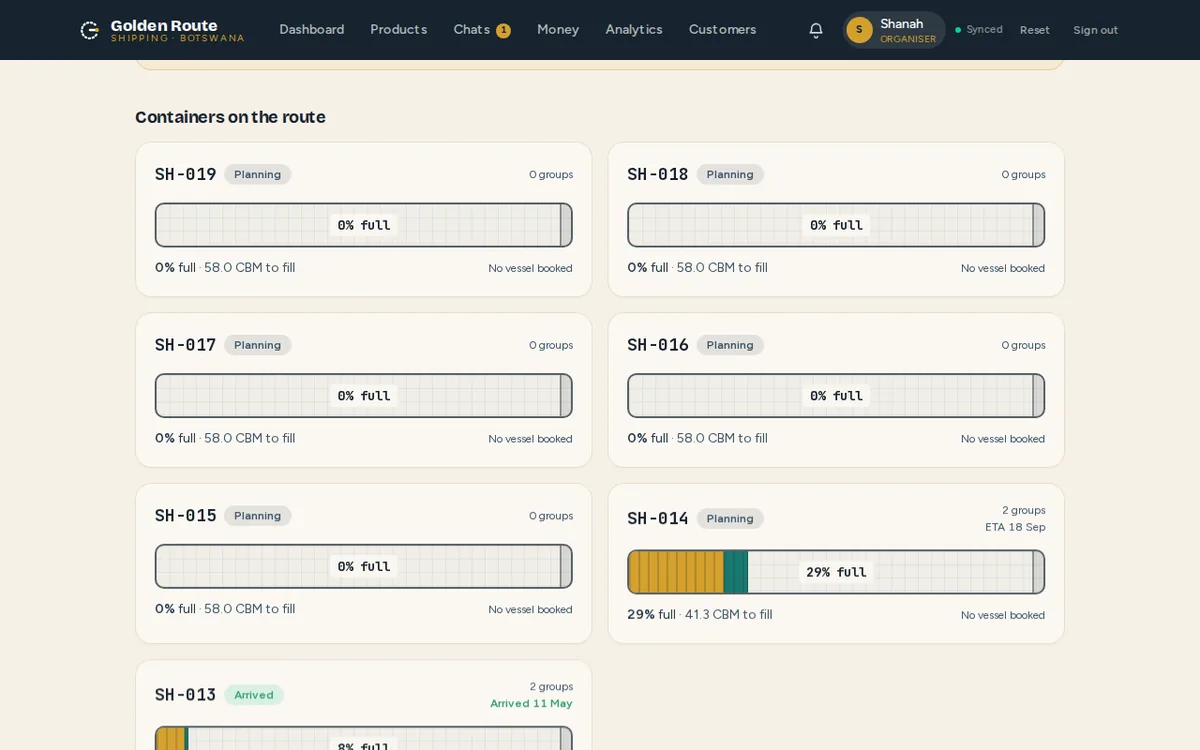
The organiser's container list, for consolidating several groups into one box before it ships.
1. Picking a role and joining a group
One app carries both views, switched from the top bar: the member view for people joining a group, the organiser view for the person running it. A member browses open groups on the home page and sees how close each one is to its minimum order before joining.
2. A group's product page
Each product page shows photos, a description and a live cost breakdown for the quantity and packaging a member picks. The page is shareable, so a member can send it to someone else to bring into the group.
3. Group chat and order tracking
Members follow their order status and read and post in a group chat, delivered over a websocket with presence, typing indicators and read receipts. A separate support thread reaches the organiser directly.
4. Container load planning
The organiser's load planner tracks a container's fill by both cargo volume and payload weight, so it is clear which of the two limits binds before the container is booked to ship.
5. Consolidating containers
A container list shows every shipping container by reference number and fill percentage, so the organiser can consolidate more than one group's orders into a single container before it ships.
6. Reconciliation and customer records
A per-group reconciliation sheet is the digital equivalent of the business's paper cost sheets: a ledger with expandable per member installment history and a CSV export. A customer list aggregates every member's order history across all groups.