
NTSDB
NTSDB tracks TV shows: what you are watching, how far through each season you are, and what airs next. Show metadata and posters come from TMDB. Progress can also sync with AniList and MyDramaList, so a list kept on either of those services carries over instead of being re-entered.
Alongside tracking, it has a social layer: profiles with a public watchlist, following, an activity feed, comments, and a list of who else is watching a given show.
The monorepo has four clients: a Next.js web app, an Expo Router app for iOS and Android, a Chrome and Firefox extension, and the Go API they all call. The web app carries the full feature set. The mobile app covers login, the watchlist, browsing and adding shows, show detail and progress, settings, chat and calling. The browser extension is scoped to MyDramaList: it detects a logged in MyDramaList account, scrapes its list pages, and syncs progress in both directions.
Technologies
- Server
- Go, Gin
- GORM over SQLite
- Goose migrations
- Google and Discord OAuth
- Web push for browser notifications
- Web client
- Next.js, React 19
- Tailwind CSS, Radix UI
- Bun as the package manager and dev runtime
- Mobile app
- Expo Router, React Native
- NativeWind
- react-native-webrtc for native voice and video calling
- Browser extension
- React, Vite
- Manifest targeting both Chrome and Firefox
- External services
- TMDB for show metadata and posters
- AniList for linked progress sync
- MyDramaList for linked progress sync
The App
Screens
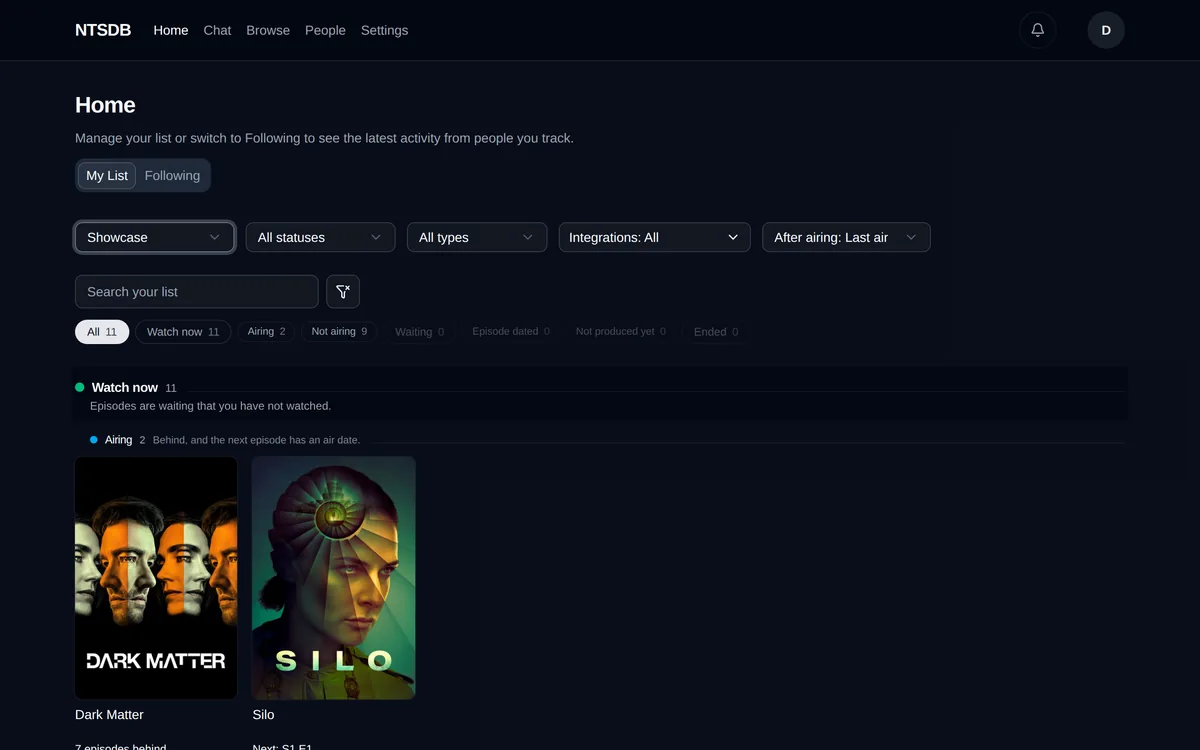
The list groups tracked shows by whether there is an unwatched episode waiting, and the chips count each group before it is opened.
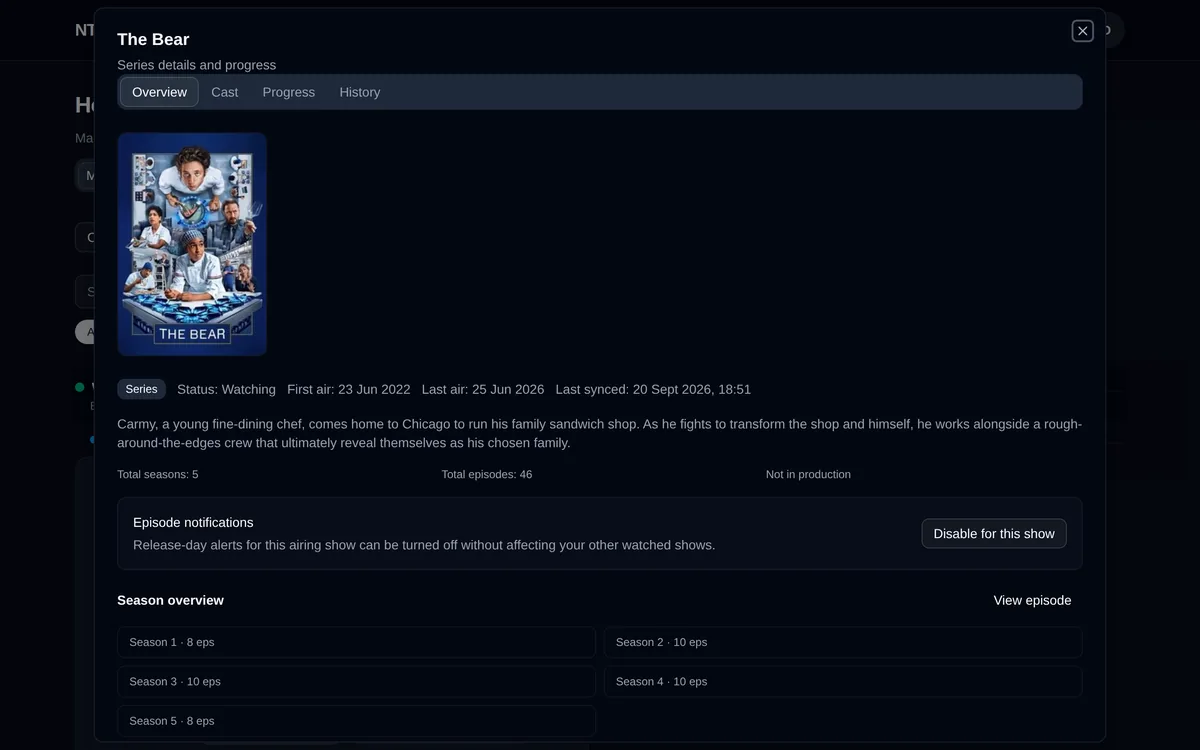
The show detail dialog carries TMDB metadata, per show episode notifications and the season breakdown.
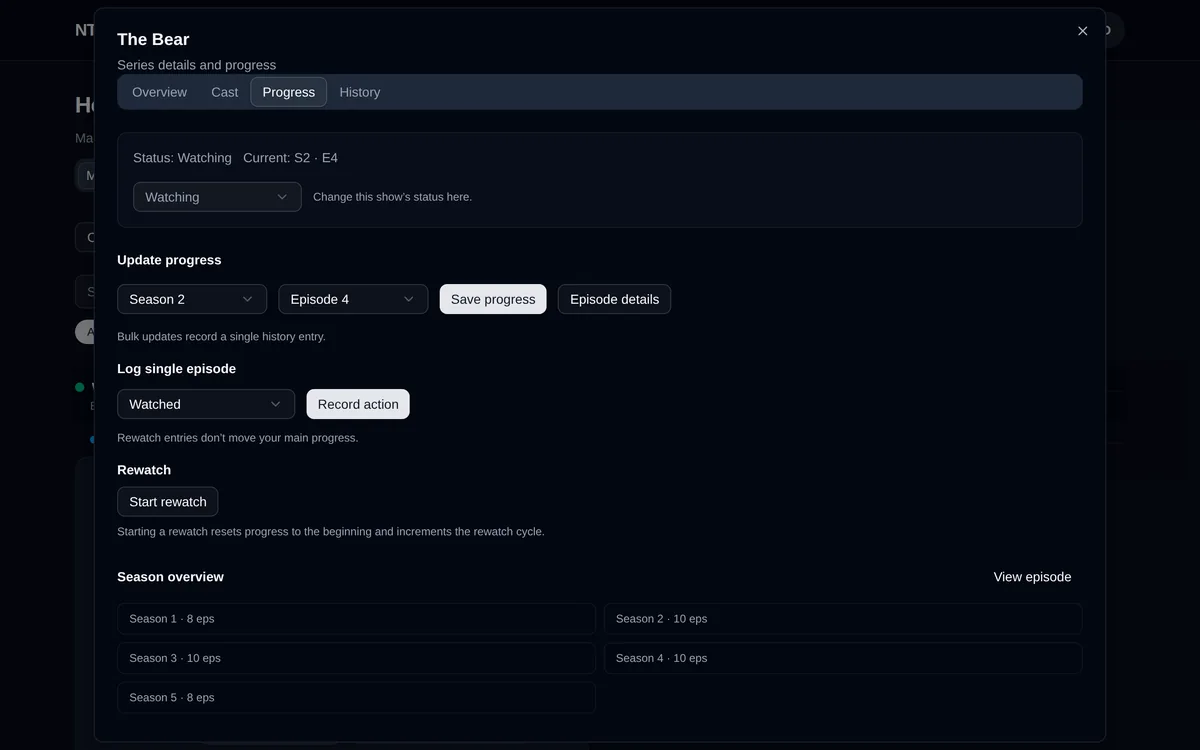
Progress is set by season and episode, logged one episode at a time, or reset through a rewatch cycle.
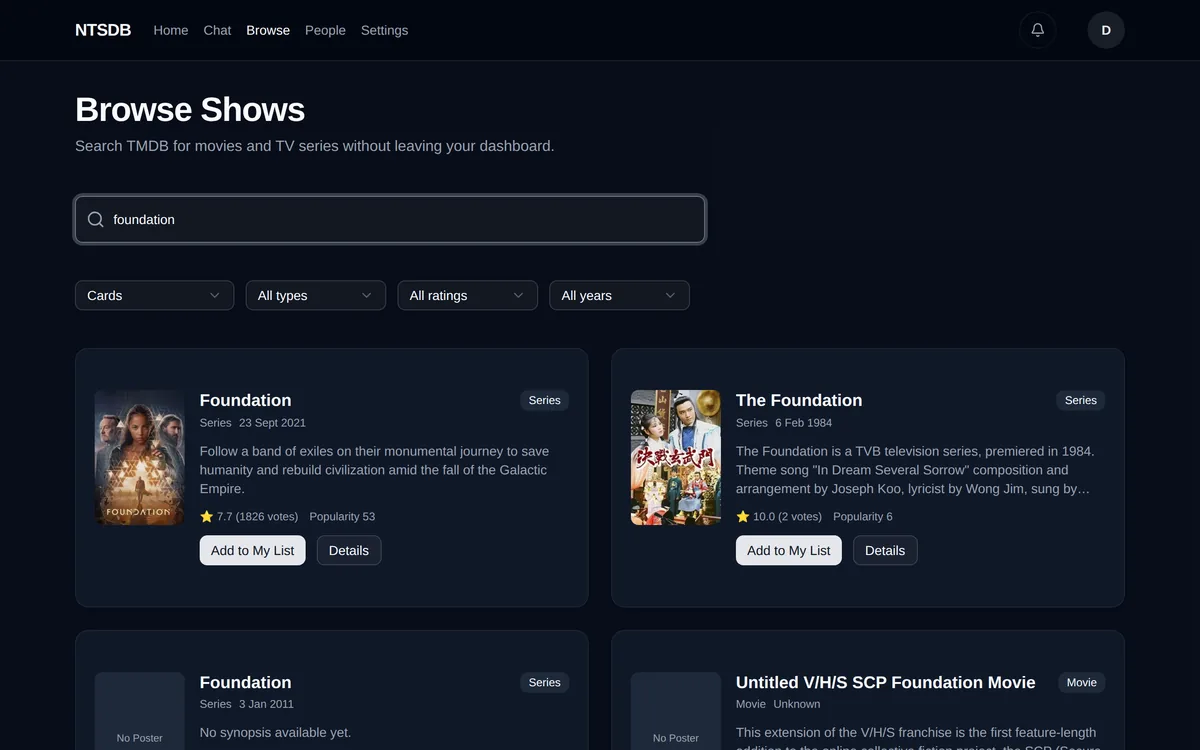
Browse searches TMDB directly and adds a result to the tracked list without leaving the page.
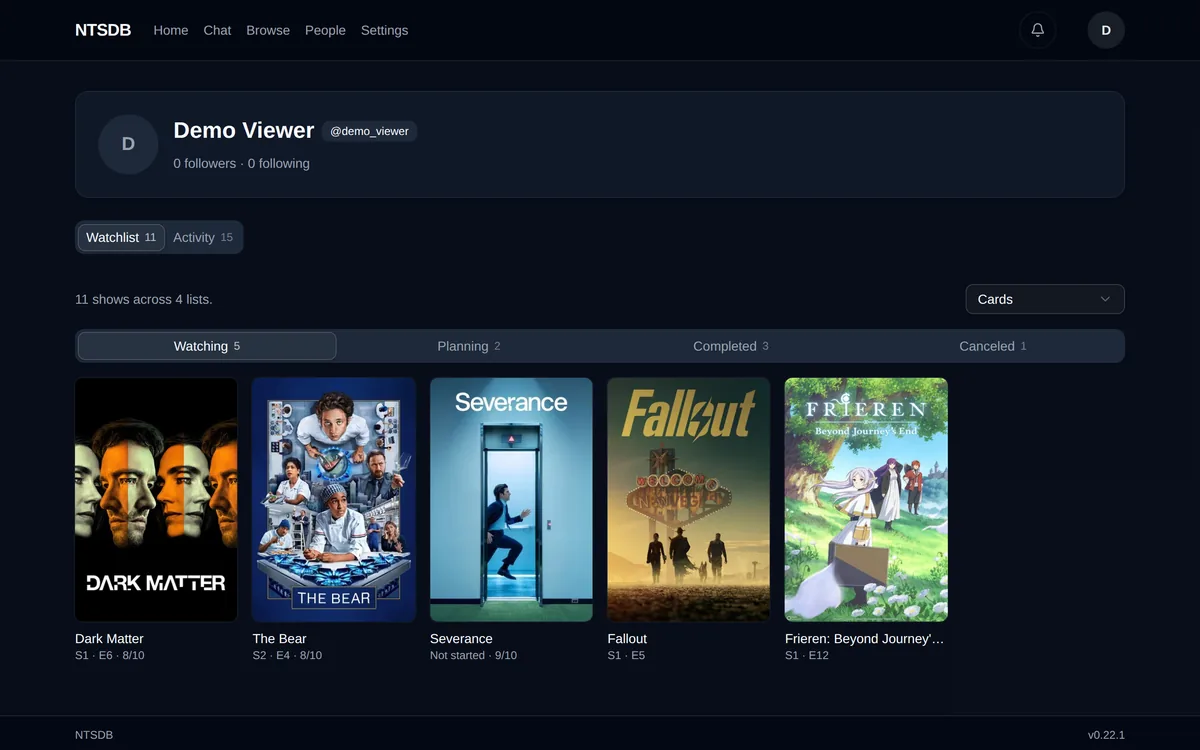
A profile exposes the watchlist by status, which is what other users follow.
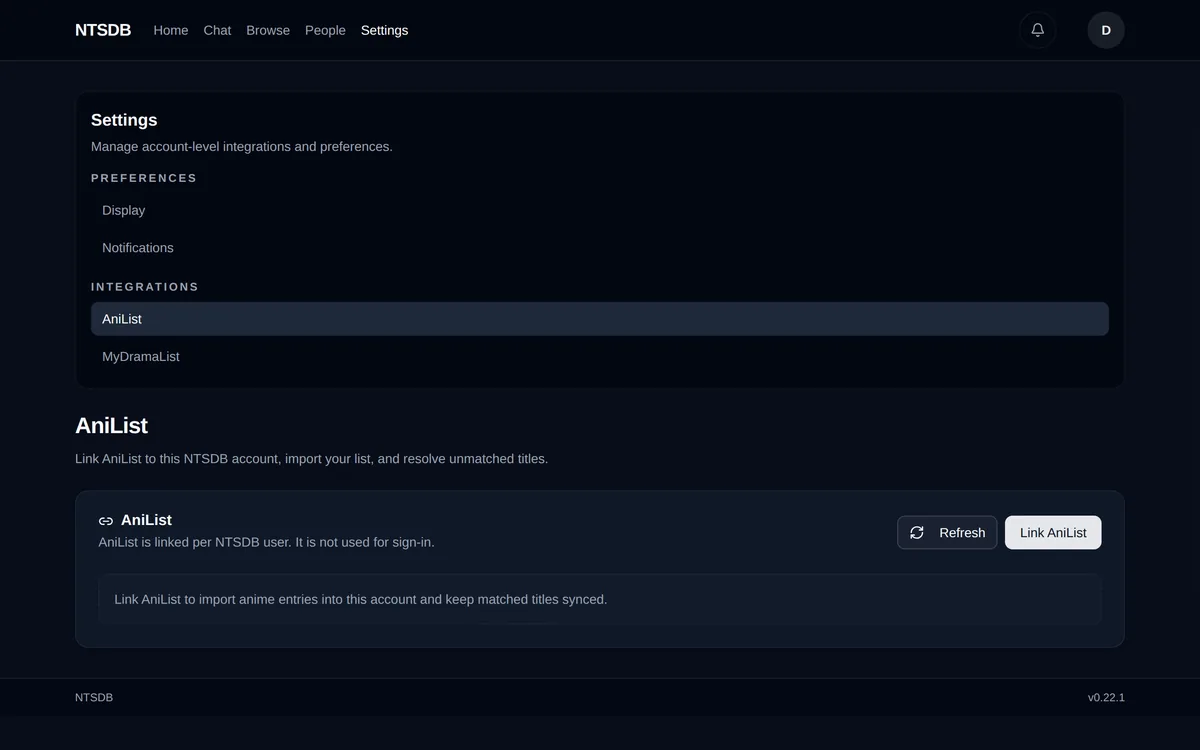
AniList and MyDramaList link per user from Settings and sync progress back to the local list.
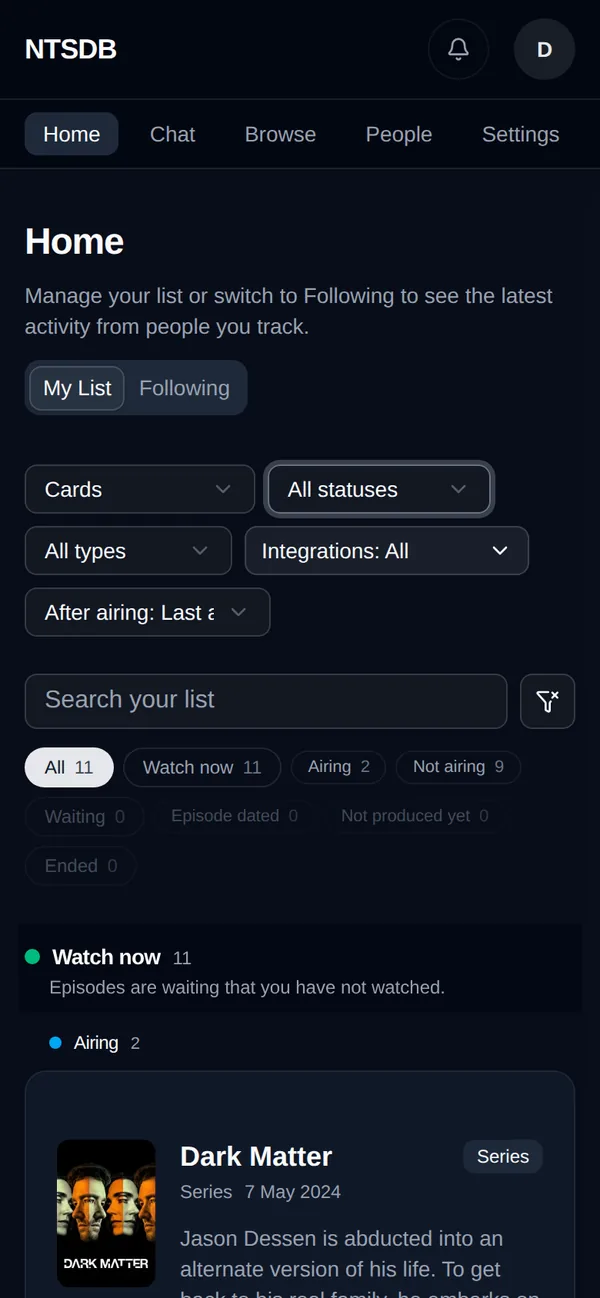
The same list at phone width, where the filter row stacks and the cards run full bleed.
1. Watchlist and progress
Shows are grouped into Watch now, Waiting and Ended, based on whether there is an episode ready to watch rather than only on air status. Progress is logged per episode, or a show can be reset into a rewatch.
2. Browse and add
Search queries TMDB directly. A result is added to the tracked list from the search results, with a default status of watching.
3. AniList and MyDramaList sync
A show can be linked to an AniList or MyDramaList entry so progress recorded on either service updates the local list. AniList linking includes a mapper for shows whose season structure does not match TMDB one to one. MyDramaList linking runs through the browser extension, which reads the logged in MyDramaList account and syncs in both directions; the server does not store MyDramaList credentials.
4. Profiles and following
Each user has a profile with a public watchlist by status, an activity feed, followers and following, and a list of who else is watching a given show. Comments and follows generate notifications.
5. Notifications
A scheduled job refreshes TMDB metadata and queues notifications for air dates and new seasons, delivered through web push on desktop and Expo push on mobile.
6. Mobile chat and calling
The mobile app adds direct chat and native voice and video calling between users, built on WebRTC. Calling needs a development or release build of the app: Expo Go does not include the native calling modules, so this could not be captured in the screens above.