
PriceBasket
PriceBasket is a bare React Native Android app that tracks grocery prices per store branch, keeps a dated price history, and runs an in-store shopping basket with VAT aware totals. It is offline: everything lives in a local SQLite database created by migrations on first launch, and there is no backend and no Expo.
It is built for a shopper in Botswana who wants to compare what the same product costs across branches and keep a record of what was actually paid, rather than what a receipt said at the time.
Version 0.4.10, Android only, iOS deliberately excluded. 15 Jest test files cover price comparison, VAT, unit price, package size, backup serialisation, barcode lookup and the shopping list service. The release build config still signs with the debug keystore, so the app is not publishable as it stands.
Technologies
- React Native 0.85.2
- Bare workflow, no Expo, no EAS
- React 19
- TypeScript
- SQLite, via react-native-sqlite-storage, with migration based schema setup
- Zustand for state, React Hook Form and Zod for form validation
- React Navigation, bottom tabs and native stack
- VisionCamera for barcode scanning, with manual entry as a fallback
- Four public barcode lookup providers, reorderable and toggleable
- Open Food Facts
- UPCitemdb
- upc.dev
- GTINHub
- Google Sign-In and Google Drive API for backup and restore
- Jest for testing
The App
Screens
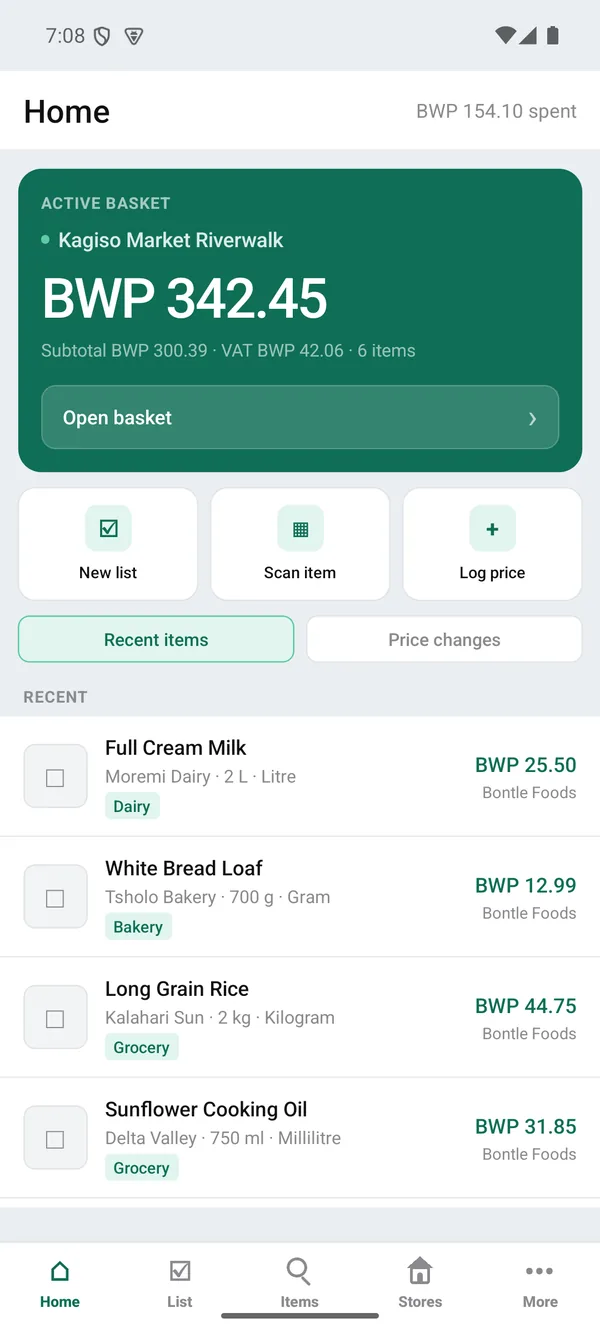
The home screen carries the running basket total for the branch being shopped and the items priced most recently.
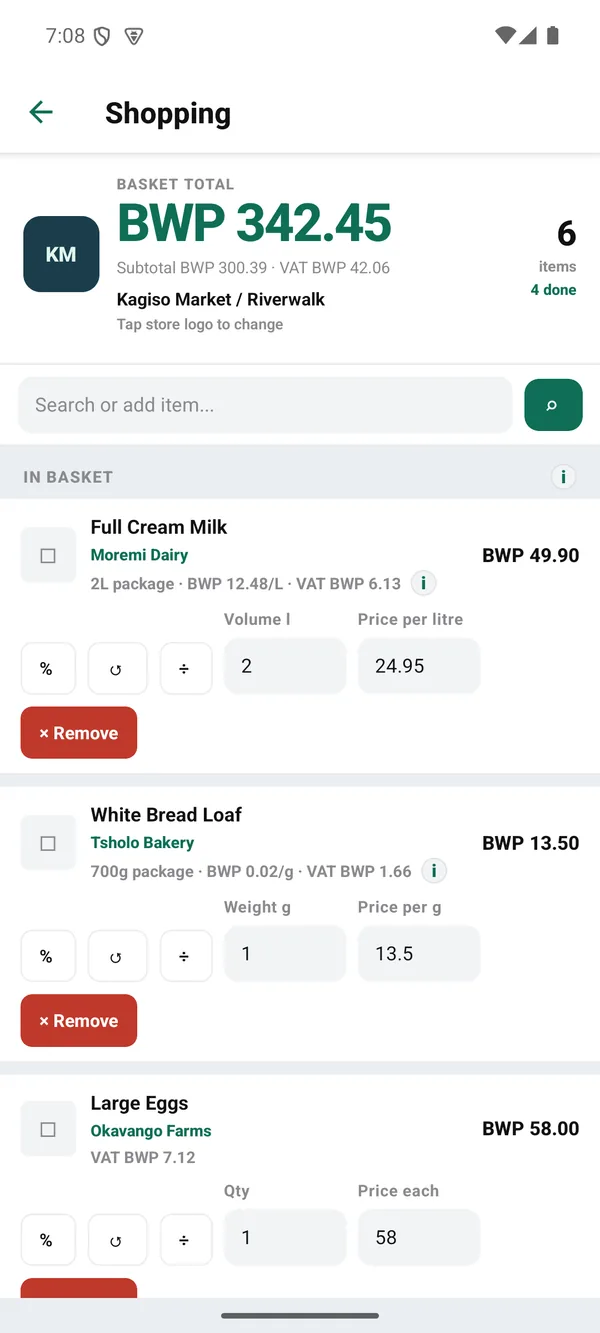
The in-store basket lets each line's quantity and shelf price be corrected as items go into the trolley, recalculating VAT per line.
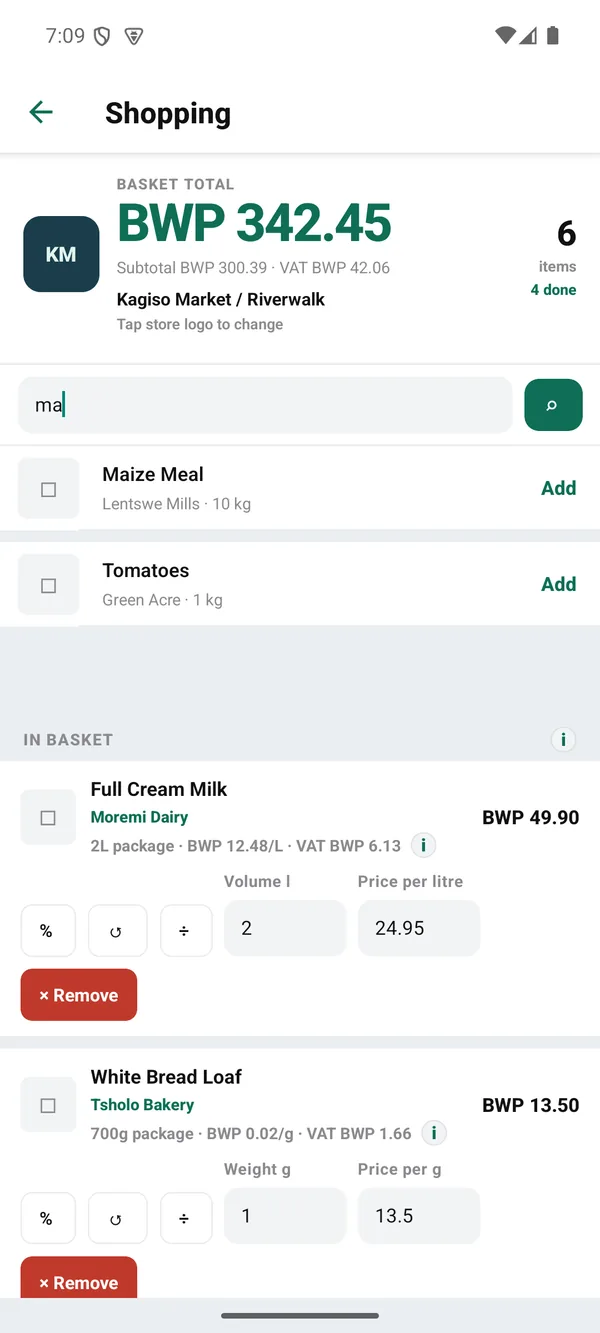
Searching the local item catalogue adds a product to the open basket without leaving the shopping screen.
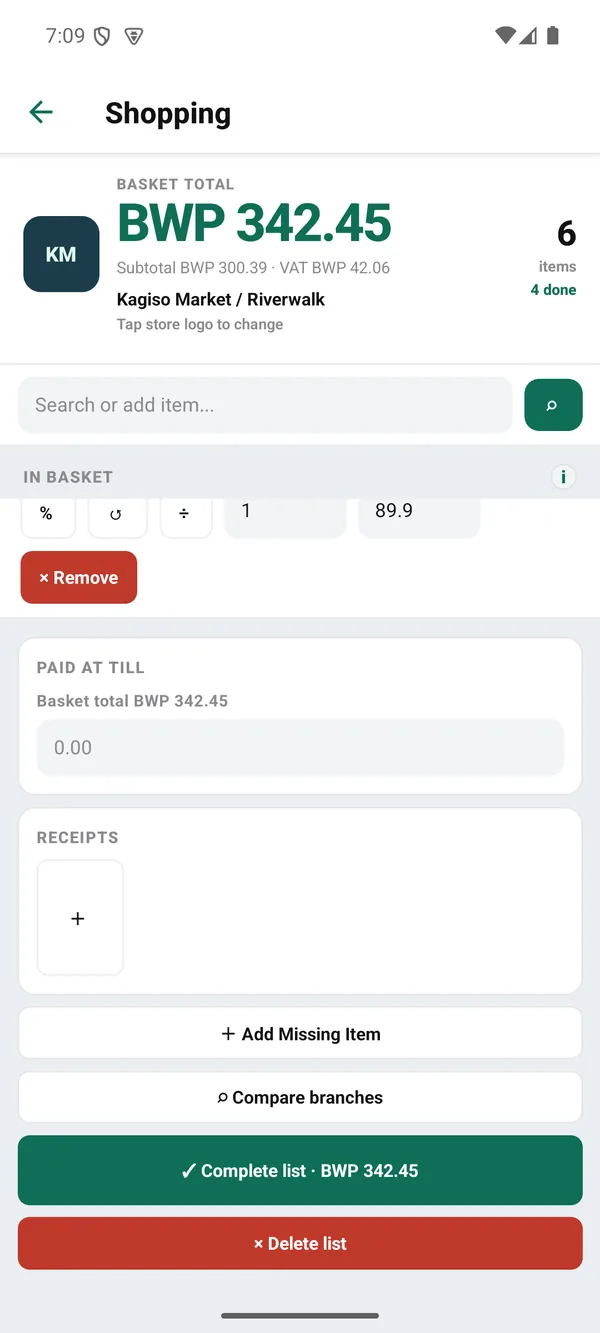
Closing a shop records what the till actually charged against the calculated total and files the receipt photo with the list.
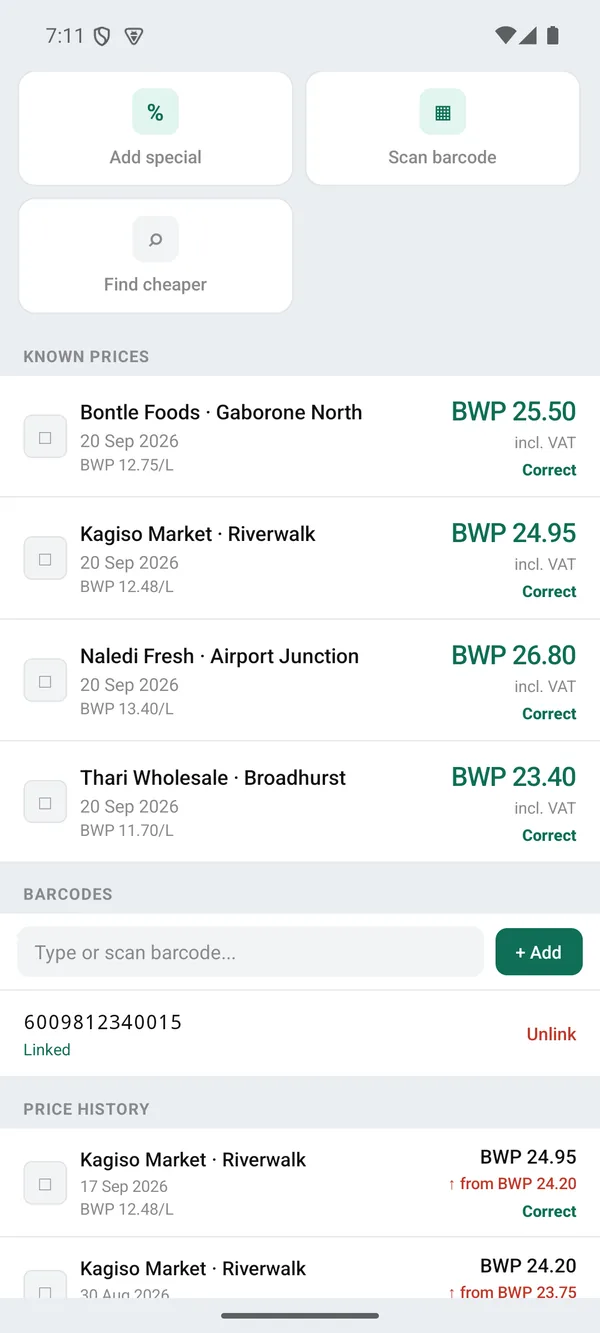
A product holds every branch price seen for it, its barcodes, and the dated trail of every change to those prices.
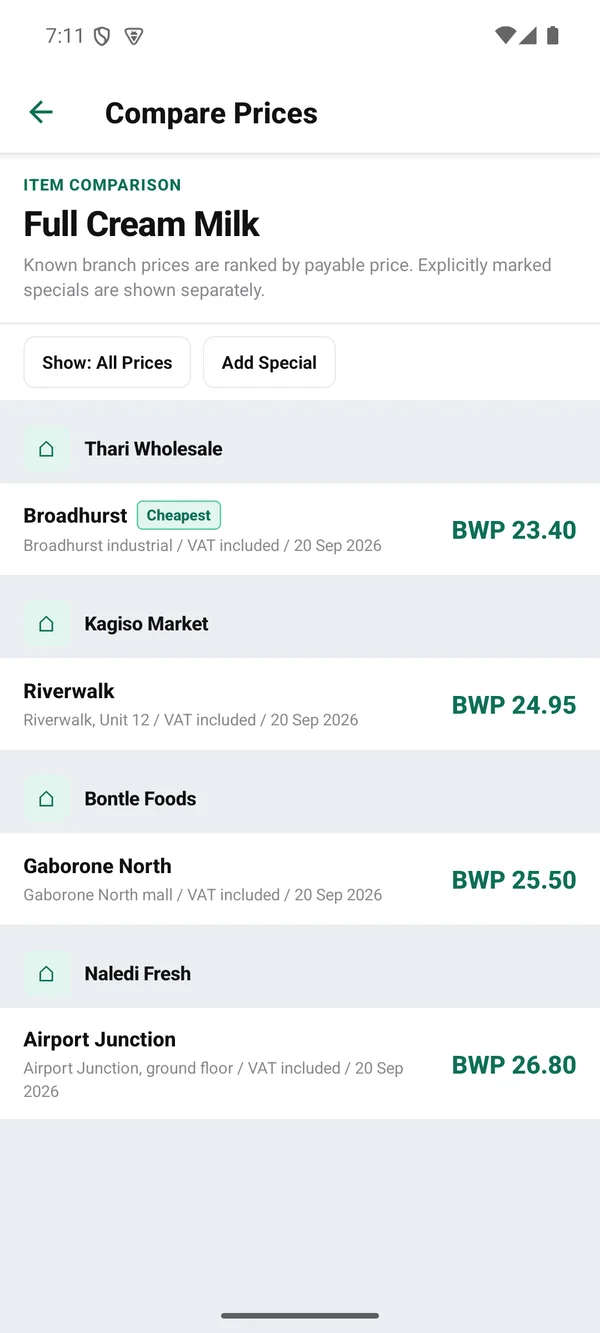
Branch prices for one product are ranked by payable price, with specials listed separately from regular shelf prices.
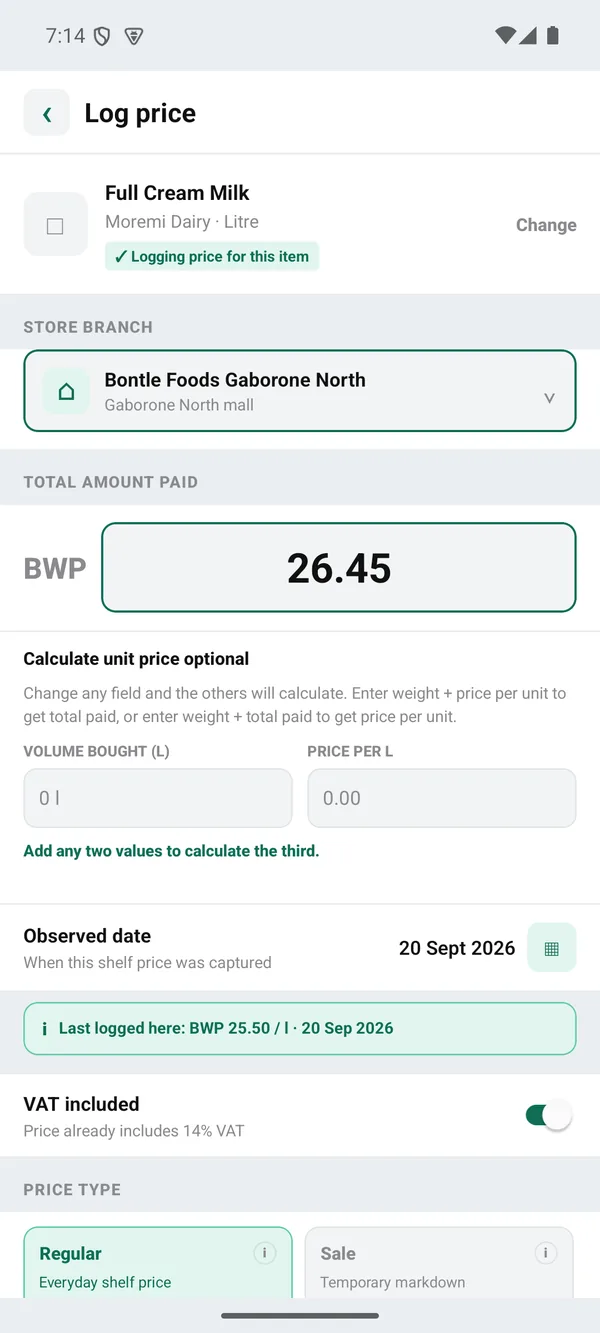
Logging or correcting a shelf price captures the branch, the VAT basis and the observation date, and shows what was last recorded there.
1. Product Catalogue
Products carry a brand, package size and unit, category, photos and EAN barcodes. Local items are checked first before any barcode lookup provider is called.
2. Branch Level Pricing
A price is recorded per product per store branch, not per chain, tagged with the observation date, the currency (BWP) and whether the figure already includes VAT. VAT defaults to 14 percent.
3. Price History
A history row is written automatically whenever a known branch price changes, keeping the old and new values, so a product shows a dated trail of what it used to cost.
4. Branch Comparison
One product can be compared across branches, ranked by payable price with a cheapest marker. Promotional prices sit in their own table with an active period and are shown apart from regular shelf prices.
5. In-Store Basket
A basket is bound to one branch: search and add items, correct the shelf price and quantity per line, see VAT per line and a running subtotal, VAT and total. Completing a list records what the till actually charged, attaches receipt photos, and pushes corrected prices back into price history.
6. Barcode Lookup
Scanning uses VisionCamera with manual entry as a fallback. Four public lookup providers, Open Food Facts, UPCitemdb, upc.dev and GTINHub, can be reordered and toggled, and are only consulted once the local catalogue has been checked.
7. Meal Items
Meal items are a distinct type, carrying taste and portion ratings per branch alongside price.
8. Backup and Restore
The database can be backed up and restored, including to Google Drive, and the app has a dark mode toggle.